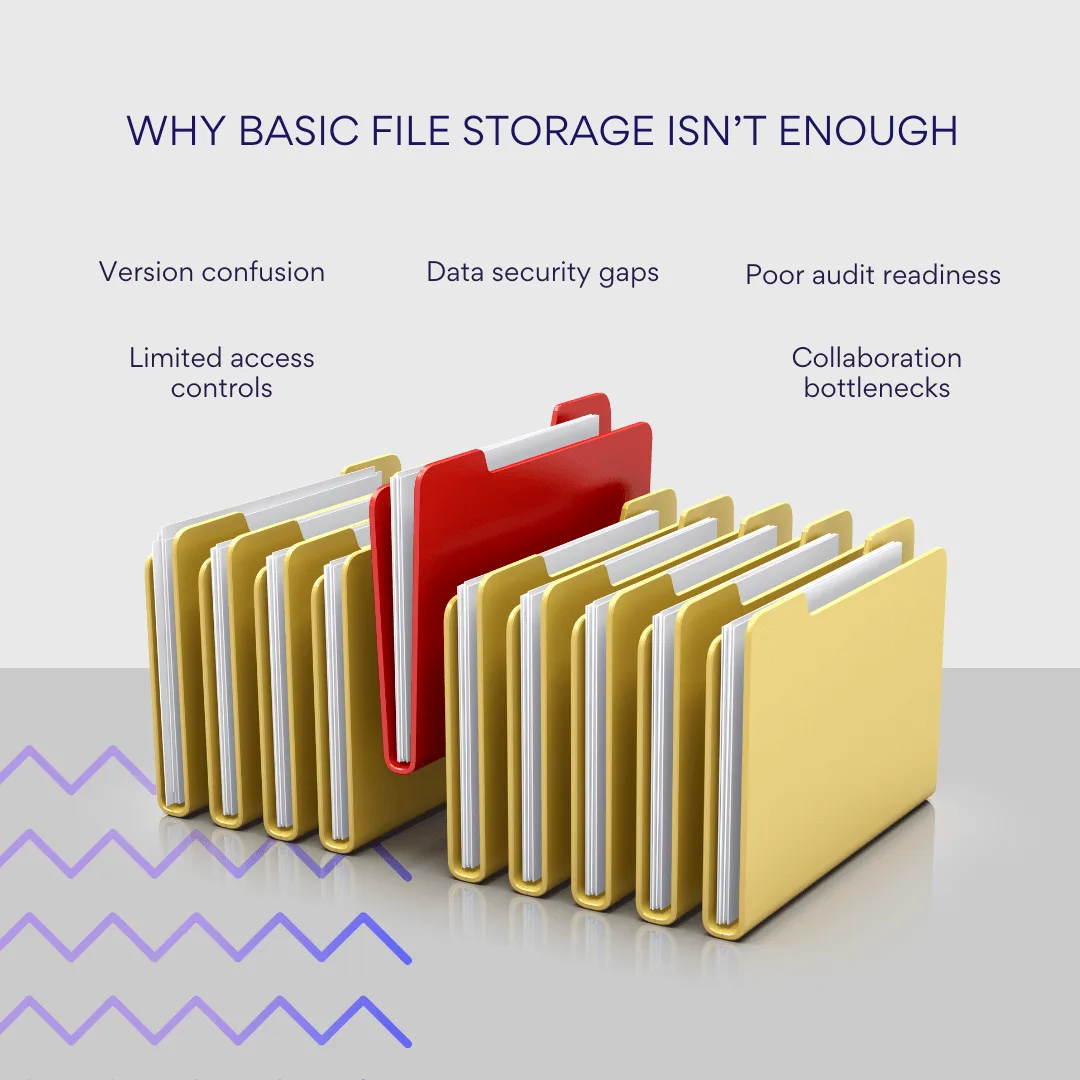
Managing documents at an enterprise level is more than storing files in a shared drive. Large organizations deal with contracts, reports, technical documentation, and compliance records that must be stored securely, retrieved quickly, and governed by strict access rules. Without a structured system, version control breaks down, sensitive information is exposed, and collaboration slows.
Enterprise document management software (EDMS) addresses these challenges. It provides a centralized platform to store, organize, and track documents throughout their lifecycle—from creation and approval to archiving or deletion. Beyond storage, an EDMS enforces policies, supports compliance with regulations, and integrates with business systems so that documents become part of automated processes rather than isolated files.
This guide will explain what enterprise document management software is, highlight its key features, outline the main types of systems, and compare leading platforms such as Microsoft SharePoint, OpenText Content Suite, M-Files, DocuWare, and Laserfiche. It will also provide criteria for selecting the right solution for your business and show how add-ons, including tools from VirtoSoftware, can extend SharePoint to handle large-scale document operations more effectively.
What Is Enterprise Document Management Software
Enterprise document management software (EDMS) is a system built to manage digital documents across a business in a consistent, secure, and controlled way. Unlike basic file storage tools—such as Google Drive or Dropbox—that focus on uploading and sharing files, an EDMS is designed to cover the full document lifecycle: creation, editing, approval, storage, collaboration, and eventual archiving or disposal.
What sets an EDMS apart is the level of structure and governance it brings. Every document is tied to metadata, version histories, and access rules. This allows organizations to maintain accurate records, demonstrate compliance, and ensure sensitive information is only visible to those with the right permissions. In practice, that means an EDMS is not just a storage platform, but an operational layer that connects documents to business processes.
| Feature | Basic file storage (e.g., Google Drive) | Enterprise document management software (EDMS) |
| Storage | Upload and share files | Centralized, structured repositories |
| Version history | Limited | Full revision history with rollback |
| Access control | Simple sharing links | Role-based permissions and security policies |
| Compliance & audit | Minimal | Detailed logs, retention rules, compliance-ready |
| Workflow & automation | None | Automated approvals, routing, notifications |
Typical capabilities include:
- Centralized repositories that support complex folder structures and libraries, ensuring all files are stored consistently.
- Advanced search powered by metadata, tags, and filters, which allows employees to find specific documents within seconds—even in repositories containing millions of records.
- Version control that captures each edit and enables users to roll back to earlier drafts, which is critical for contracts, technical documentation, and regulated content.
- Role-based access control so permissions can be applied at the level of a document, folder, or department. For example, HR staff may have exclusive rights to employee records, while finance teams control access to payroll files.
- Collaboration tools such as simultaneous editing, threaded comments, and built-in approval workflows that replace the need for manual email exchanges.
- Integration with enterprise systems like ERP, CRM, and productivity platforms, reducing duplication and ensuring documents flow naturally into existing processes.
- Workflow automation that routes documents through pre-set steps—for instance, sending a draft contract to legal, then to a manager, before automatically archiving the final version.
- Compliance and audit support, including electronic signatures, detailed activity logs, and adherence to standards like GDPR, HIPAA, and ISO 27001.
What is the purpose of the DMS?
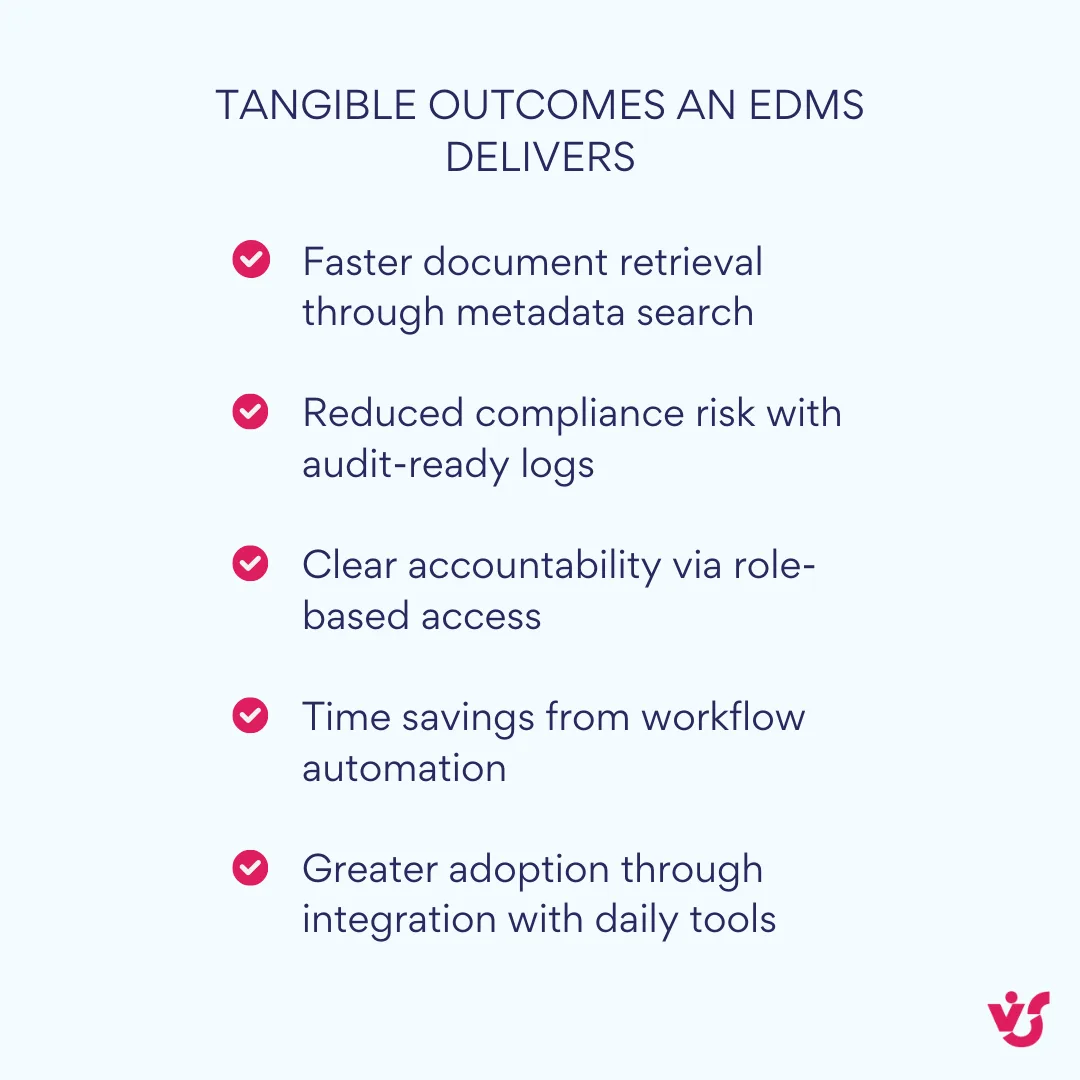
The purpose of an EDMS is not simply to store documents but to make them secure, reliable, and usable in the context of daily work. It helps businesses minimize risks of data loss, improve transparency, and reduce the time employees spend searching for or handling files. A practical example: in a contract approval process, an EDMS can automatically send the draft to the legal team, notify the project manager when their input is required, and log every step for compliance reporting. None of this would be possible in a basic file-sharing platform.
In short, an EDMS provides the framework that enables employees to access the right information at the right time while maintaining control, security, and accountability across the entire organization.
💡So, what is an EDM system? An enterprise document management (EDM) system is software designed to manage documents across an organization with structured storage, search, access controls, and compliance features. Unlike basic file storage, it supports the entire document lifecycle—from creation and approval to archiving. Examples include SharePoint, OpenText Content Suite, and other enterprise-grade solutions used by mid to large organizations.
Key Features and Components of an EDMS
A robust enterprise document management system brings together a range of features that address both day-to-day productivity and long-term governance. Each component plays a role in making documents easier to manage, safer to store, and more valuable as part of broader business processes.
Document versioning and revision history: One of the most essential features of an EDMS is its ability to capture every change made to a file. This ensures that users always know who edited a document, when it was changed, and what the previous version looked like. In industries where documents carry legal weight—such as contracts, financial statements, or technical manuals—this audit trail is indispensable. Version control also gives teams confidence when collaborating: if errors are introduced or critical details are removed, it is possible to roll back to an earlier draft without losing work.
Access rights and role-based permissions: Not every employee should see or edit every file. An EDMS allows administrators to assign access rights at multiple levels, from a single document to an entire department’s library. Permissions typically range from read-only to full edit and approval rights. This protects sensitive data while ensuring staff can access the information they need to work efficiently. For example, in HR systems, only personnel officers may open employee files, while managers may only view high-level reports.
Metadata and tags for structured search: Large organizations generate vast numbers of documents, making advanced search essential. An EDMS uses metadata—such as author, date, category, or project code—to structure repositories and allow fast retrieval. Tags add another layer of flexibility by grouping documents around clients, initiatives, or topics. Together, metadata and tags mean that finding “all invoices from Q2 linked to a specific client” can be done in seconds, even if thousands of other files are stored in the same library.
Integration with corporate systems: An EDMS rarely operates in isolation. Its value increases when integrated with other enterprise applications. For example:
- Connecting with CRM systems like Salesforce allows customer contracts, proposals, and correspondence to be directly linked to client records.
- Linking with ERP platforms such as SAP ensures that invoices, purchase orders, and financial reports are managed consistently and archived automatically.
- Integrating with Microsoft 365 makes it possible to edit Word, Excel, or PowerPoint files directly within the system and collaborate through Teams.
Such integrations eliminate duplicate data entry and ensure documents flow naturally into core business processes.
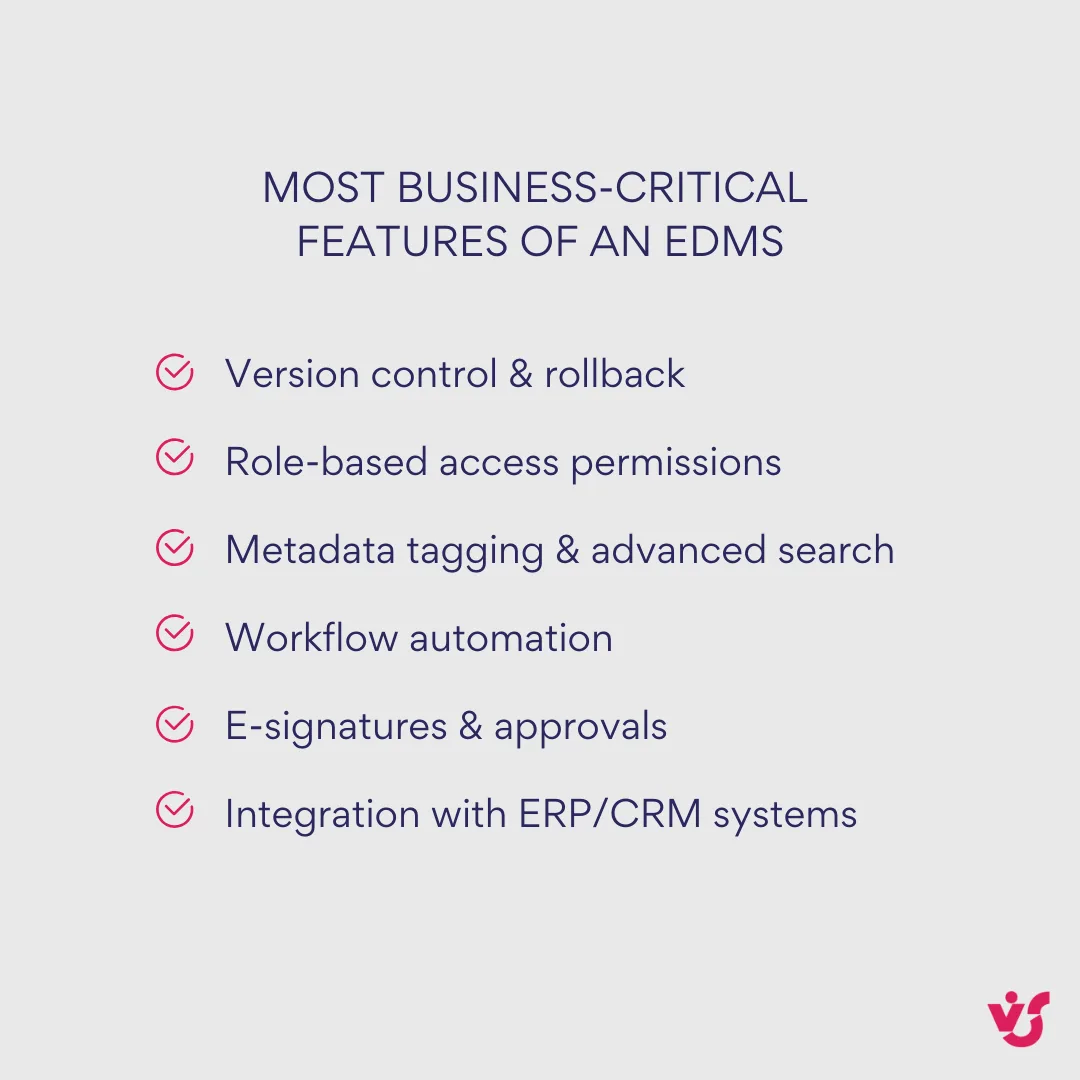
Workflow automation: Manual handling of documents slows down approvals and increases the chance of missed steps. An EDMS introduces automation that routes documents through predefined paths. A contract, for instance, may be sent automatically to the legal department, then to a project manager, and finally to finance. Notifications keep stakeholders aware of pending actions, while deadlines are tracked to prevent bottlenecks. Automation reduces errors and speeds up processing, allowing staff to focus on higher-value tasks.
Compliance and audit readiness: Many industries are governed by strict regulations. An EDMS provides the tools to demonstrate compliance with GDPR, HIPAA, ISO 27001, and other standards. Features such as encryption, access logs, electronic signatures, and retention policies ensure that documents are handled according to regulatory requirements. In the event of an audit, organizations can quickly produce records showing how documents were created, reviewed, approved, and archived.
Electronic signatures and approvals: With distributed teams and external partners, the ability to sign documents electronically is critical. Most enterprise-grade systems now offer secure e-signature capabilities, often integrated with platforms like DocuSign or Adobe Sign. This allows contracts and agreements to be completed more quickly, without the delays of printing, scanning, or mailing.
| Category | Features included |
| Governance & security | Role-based access, audit trails, retention policies, encryption |
| Productivity | Version control, collaboration tools, metadata tagging, advanced search |
| Automation | Workflow routing, notifications, electronic signatures, integrations |
| Compliance | Adherence to GDPR, HIPAA, ISO 27001, and other regulatory frameworks |
| Integration | ERP/CRM connectors, Microsoft 365, Salesforce, SAP, DocuSign, and more |
Together, these components form the backbone of a mature EDMS. They turn static files into controlled, searchable, and actionable assets, helping organizations strike a balance between productivity, security, and compliance.
💡 So, what is an example of DMS? A common example of a document management system (DMS) is Microsoft SharePoint, which stores, organizes, and secures documents within a centralized platform. It allows teams to collaborate on files, track version history, and set access permissions. Other well-known systems include M-Files, DocuWare, and Laserfiche, each offering specialized features for document handling.
Types of Enterprise Document Management Systems
Not all document management systems are deployed in the same way. The right approach depends on an organization’s size, security requirements, IT resources, and flexibility needs. Broadly, EDMS platforms fall into four categories: cloud-based, on-premises, hybrid, and industry-specific solutions.
Cloud-based EDMS
Cloud systems are hosted by the provider and accessed through the internet. They have grown rapidly in popularity because they require minimal infrastructure and scale easily as storage needs expand. Updates, backups, and security patches are handled by the vendor, which reduces the workload for internal IT teams.
Advantages include global accessibility, lower upfront costs, and predictable subscription pricing. A sales manager in one country and a finance officer in another can work with the same contract in real time without needing a VPN or dedicated server. The drawbacks are dependence on a reliable internet connection and the need to entrust sensitive data to an external provider.
Examples: SharePoint Online, M-Files Cloud, DocuWare Cloud.
On-premises EDMS
These systems are installed on servers managed by the organization’s own IT department. They provide complete control over data storage, configurations, and security policies. For businesses in highly regulated sectors, this control can be a critical requirement.
The trade-off is higher upfront costs and a greater need for internal expertise. Hardware must be maintained, patches applied, and backups managed locally. On-premises EDMS is often chosen by financial institutions, government agencies, or defense organizations where security outweighs convenience.
Examples: SharePoint Server, OpenText Content Suite, Laserfiche deployed on-premises.
Hybrid EDMS
Hybrid deployments combine elements of cloud and on-premises models. Sensitive information—such as patient records or confidential financial data—can be kept on local servers, while less critical content is stored in the cloud. This balance allows organizations to enjoy the scalability of the cloud without giving up direct control over their most valuable data.
Hybrid solutions are particularly appealing to enterprises with diverse regulatory requirements across regions. For example, a multinational business may need to keep certain documents within a specific jurisdiction while still enabling global collaboration.
Examples: hybrid configurations of Microsoft SharePoint or Alfresco Hybrid Cloud.
Industry-specific EDMS
Some systems are designed for the unique demands of particular industries. For healthcare providers, compliance with HIPAA and strict patient data protections are essential. In construction, managing technical drawings, diagrams, and project documentation requires specialized support. Manufacturers may look for EDMS platforms that integrate with PLM (product lifecycle management) systems to control versions of technical specifications.
Examples include:
- OnBase by Hyland for healthcare and compliance-driven sectors.
- Bluebeam Revu for construction and design documentation.
- eFileCabinet for small to mid-sized businesses seeking a more targeted solution.
Each model comes with trade-offs. Cloud platforms emphasize scalability and accessibility, on-premises systems provide maximum control, hybrid approaches deliver flexibility, and industry-specific tools address niche requirements. Understanding which category aligns with organizational needs is the first step before comparing individual platforms.
| Deployment type | Advantages | Trade-offs | Best fit examples |
| Cloud | Scalable, vendor-managed updates, global access | Reliant on internet, external hosting of data | DocuWare Cloud, SharePoint Online |
| On-premises | Full control, strong data sovereignty | High upfront cost, internal IT needed | OpenText, SharePoint Server, Laserfiche on-prem |
| Hybrid | Flexibility, balance of control and scalability | More complex to manage | SharePoint Hybrid, Alfresco Hybrid |
| Industry-specific | Tailored compliance or workflow features | Narrow scope, higher specialization | OnBase (healthcare), Bluebeam (construction) |
💡 What is the difference between EDMS and ECM? An Electronic Document Management System (EDMS) focuses on documents—storing them, managing versions, controlling access, enabling search, and supporting collaboration. Enterprise Content Management (ECM) goes further. It covers all organizational content, from web pages and multimedia to knowledge bases and portals. In short, EDMS is a document-centered subset of ECM. It manages structured document workflows, while ECM oversees the entire spectrum of digital information across the organization.
Comparison of Enterprise Document Management Systems
Once the deployment model is clear, the next step is evaluating specific platforms. While all enterprise document management platforms provide core features such as centralized storage, version control, and access management, they differ in how they handle scale, integration, compliance, and usability.
Below is an overview of five leading enterprise document management tools, along with additional notable platforms.
Microsoft SharePoint
SharePoint remains the backbone for organizations using Microsoft 365. Its recent updates bring AI-driven content management through Copilot and Content AI, improved metadata autofill, and real-time co-authoring via Microsoft Loop. Security enhancements such as block-download policies, conditional access, and enterprise app insights make it well-suited for enterprises with strict governance requirements.
- Pros: Deep Microsoft 365 integration (Teams, Outlook, OneDrive, Power Automate), strong compliance controls, mature governance tools.
- Cons: Complex configuration; organizations must be committed to the Microsoft ecosystem.
- Use cases: Global companies already standardized on Microsoft 365 that need collaboration and compliance at scale.
- Scalability: Proven for deployments ranging from departmental sites to multinational intranets.
👉 Learn more about SharePoint in dedicated sections on our blog:
- https://blog.virtosoftware.uk/category/sharepoint-online/
- https://blog.virtosoftware.uk/category/sharepoint-web-parts/
OpenText Content Suite
Targeted at large enterprises with strict compliance needs, OpenText has expanded cloud-first capabilities in its CE 25.1 and 25.2 releases. These include low-code automation, real-time ERP/CRM connectors, AI-powered extraction, and GxP-compliant content services for life sciences. It continues to dominate in industries where document governance is mission-critical.
- Pros: Enterprise-grade scalability, advanced case management, unmatched compliance features.
- Cons: Expensive to implement; requires specialized expertise and longer deployment cycles.
- Use cases: Multinationals in finance, pharmaceuticals, government, and energy.
- Scalability: Built for the largest global deployments with complex regulatory landscapes.
M-Files
M-Files distinguishes itself with a metadata-driven architecture, eliminating rigid folder structures. Its Aino AI assistant enhances classification, search, and Copilot integration, while the Ment no-code automation builder makes workflow creation accessible without IT involvement. High user satisfaction scores reinforce its reputation for usability.
- Pros: Extremely user-friendly, strong metadata organization, AI-powered search, robust automation.
- Cons: Requires local installation; desktop client support for macOS is limited.
- Use cases: Mid-sized to large companies seeking intuitive search, automation, and fast adoption.
- Scalability: Flexible cloud and hybrid models suit both mid-market and enterprise deployments.
DocuWare
The DocuWare 7.12 release (2025) added improved invoice processing, AI-powered intelligent document processing (IDP), and stronger analytics. Long known for mobile-first capture and workflow automation, it is especially effective in distributed organizations handling high volumes of forms, invoices, and contracts.
- Pros: Intelligent indexing, mobile access, strong invoice automation, reliable workflow tools.
- Cons: Interface can be less intuitive than newer competitors; best suited to mid-market deployments.
- Use cases: Finance-heavy or HR-heavy companies with remote teams and frequent form-based processes.
- Scalability: Well-suited for mid-sized enterprises; scales to larger organizations but lacks the depth of OpenText or SharePoint for global governance.
Laserfiche
Laserfiche has been recognized as a Leader in Gartner’s Magic Quadrant (2025) and praised for customer satisfaction. Its focus is on no-code workflows, customizable forms, and compliance. Widely adopted in government, education, and regulated industries, it provides broad ECM functionality with a strong emphasis on automation and records management.
- Pros: No-code automation, compliance-ready, strong market reputation and analyst recognition.
- Cons: Setup and training require time and investment; AI capabilities are less advanced than M-Files.
- Use cases: Public sector organizations, universities, and institutions requiring structured approvals and compliance support.
- Scalability: Scales effectively across departments and enterprises, particularly where governance is paramount.
Other notable platforms
- PandaDoc: Optimized for contract workflows, with strong template libraries, e-signature support, and document tracking—favored by sales and legal teams.
- MasterControl: Built for life sciences and pharma, offering automated routing, approvals, and archiving in highly regulated environments.
Quick comparison snapshot of the best enterprise document management software
The systems below represent the leading choices in 2025, each with distinct strengths. While they all cover the fundamentals—secure storage, version control, and access management—their deployment models, and integrations, vary widely. The table highlights key differences to help decision-makers quickly identify which platform aligns best with their organization’s requirements.
| Platform | Deployment models | Latest highlights (2025) | Key integrations | Strengths | Best fit use case | Scalability |
| Microsoft SharePoint | Cloud (Online), On-prem (Server), Hybrid | Copilot AI, Loop co-authoring, advanced governance | Microsoft 365 suite (Teams, Outlook, OneDrive, Power Automate), ERP/CRM via connectors | Deep Microsoft ecosystem integration; strong governance | Enterprises already standardized on Microsoft 365 | Scales from departmental sites to global intranets |
| OpenText Content Suite | Cloud (OT2), On-prem, Hybrid | CE 25.1/25.2 with low-code automation, AI, ERP/CRM connectors, GxP compliance | SAP, Salesforce, Microsoft 365, custom APIs | Compliance, case management, global deployments | Multinationals in finance, pharma, government, energy | Built for the largest enterprises with strict regulatory needs |
| M-Files | Cloud, On-prem, Hybrid | Metadata-first design, Aino AI assistant, Ment no-code automation | Microsoft 365, Salesforce, Google Workspace, ERP/CRM systems | Usability, metadata search, AI-driven automation | Mid-sized and large firms seeking intuitive workflows | Flexible scaling across mid-market to enterprise |
| DocuWare | Cloud, On-prem | Version 7.12: IDP, invoice automation, analytics | Microsoft 365, SAP, QuickBooks, Outlook | Strong in invoice capture, workflows, mobile access | Finance/HR-heavy mid-sized businesses, distributed teams | Scales well for mid-sized enterprises; lighter governance than OpenText |
| Laserfiche | Cloud, On-prem, Hybrid | Gartner MQ Leader 2025, no-code workflows, compliance features | Microsoft 365, DocuSign, Google Workspace, APIs | Workflow automation, forms, compliance readiness | Government, education, regulated institutions | Scales across departments and entire enterprises |
| PandaDoc | Cloud only | Advanced contract workflows, templates, e-signatures | Salesforce, HubSpot, Microsoft 365, Slack | Contract automation, e-signature, analytics | Sales and legal teams managing agreements | Scales easily for SMB to mid-market; less suited to enterprise-wide EDMS |
| MasterControl | Cloud, On-prem | Compliance automation, routing, pharma/life sciences focus | ERP, PLM, QMS, regulatory compliance tools | Regulatory compliance, quality management | Life sciences, pharma, regulated sectors | Enterprise-grade scalability in compliance-intensive industries |
Each system offers a different balance of usability, integration, and compliance. For example, a Microsoft 365-driven business will find SharePoint the natural fit, while a multinational bank or pharma company may gravitate toward OpenText. Organizations that want intuitive search and automation may prefer M-Files, while DocuWare appeals to finance-heavy workflows. Government bodies and universities often select Laserfiche for its structured approval processes.
How to Choose the Best Enterprise Document Management System Software
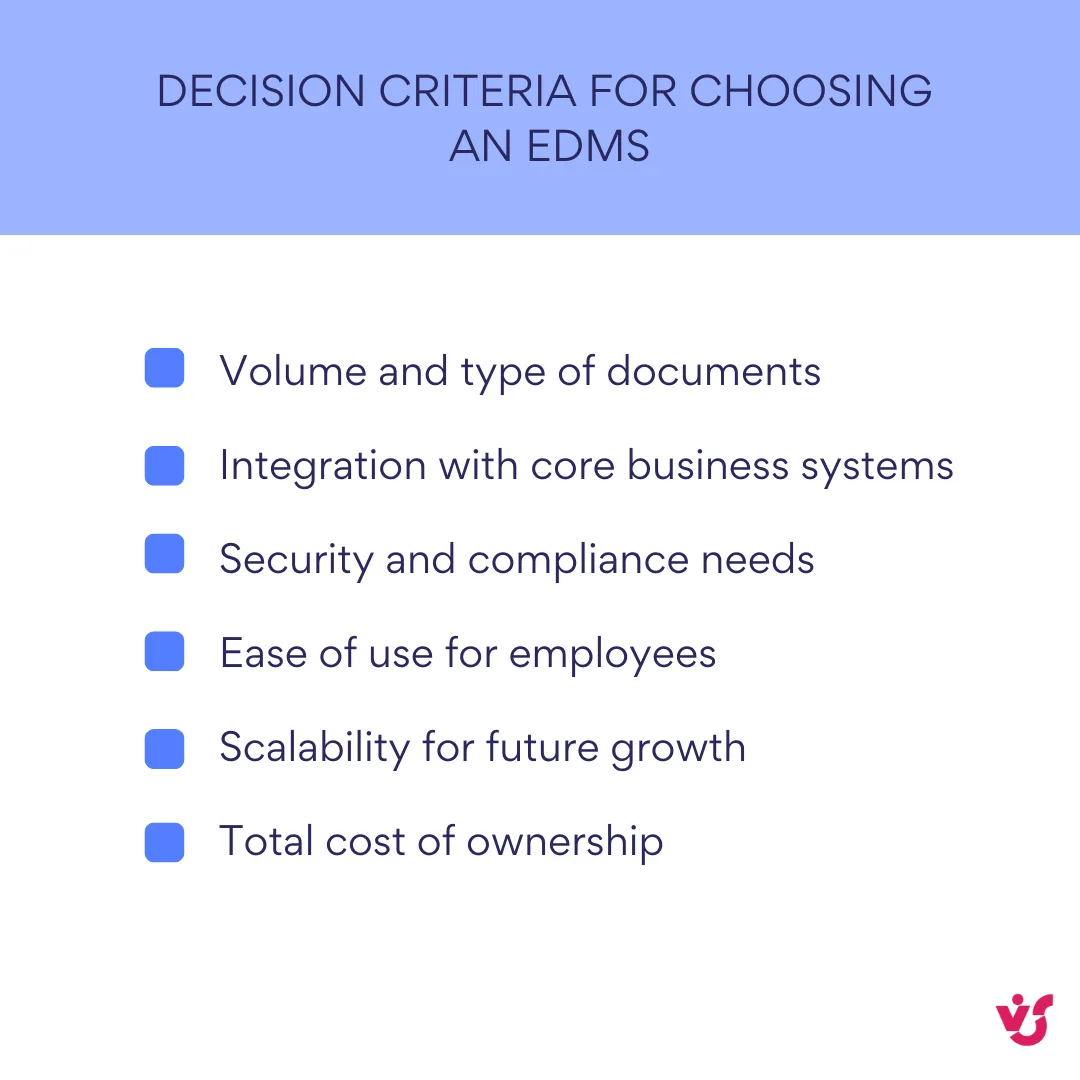
Selecting an EDMS is not about chasing the most feature-rich platform. The right choice depends on how well the system aligns with your organization’s document workflows, compliance requirements, and growth plans. A methodical evaluation ensures you avoid overpaying for unused features or adopting a system that becomes restrictive as needs evolve.
Audit your current document environment
Start with a clear understanding of how documents are managed today. Identify the volume of files, their growth rate, and the types most frequently used—contracts, project documentation, invoices, or HR records. Map out approval processes, bottlenecks, and compliance risks. This baseline will highlight the capabilities you need most urgently.
Define integration requirements
An EDMS delivers maximum value when connected to existing business systems. Consider whether the platform must integrate with CRM tools like Salesforce, ERP platforms like SAP, or collaboration suites such as Microsoft 365. If integration is critical, narrow your shortlist to systems with proven connectors rather than relying on costly custom development.
Evaluate security and compliance
Security is more than encryption. Look for granular access controls, two-factor authentication, and detailed audit trails. For organizations in regulated industries, check for certifications and compliance with frameworks such as GDPR, HIPAA, or ISO 27001. If audits are a regular occurrence, prioritize systems with strong reporting and retention features.
Prioritize usability and training
A system that looks impressive on paper can fail if staff find it cumbersome. Ease of use affects adoption speed and long-term productivity. Platforms that integrate into familiar applications—such as Word, Excel, or Teams—reduce the learning curve. Consider piloting the system in one department before rolling it out enterprise-wide to gauge user acceptance.
Consider scalability and flexibility
Business needs change. Choose a platform that can expand storage capacity, support more users, and add features without requiring a full migration. Hybrid models may be appealing if you anticipate a gradual move to the cloud while retaining control of sensitive data. Flexibility in configuration is also important: can workflows and metadata be tailored without custom coding?
Examine automation and search capabilities
Advanced automation reduces manual effort and minimizes errors. Ask whether the system can route documents based on predefined rules and whether it supports reminders for overdue approvals. Similarly, robust search functionality—using metadata, tags, and full-text indexing—saves employees significant time in large repositories.
Balance cost with long-term value
Initial licensing or subscription fees are only part of the equation. Factor in training, customization, support, and the cost of scaling over time. A system with a higher upfront investment may prove more cost-effective if it reduces compliance risk or saves hours of manual work each week.
💡 So, what is the best software for document management? The “best” EDMS is the one that aligns most closely with your processes, infrastructure, and compliance obligations. A smaller company may thrive on a cloud-based solution with straightforward workflows, while a multinational in a regulated industry may require the depth of an on-premises or hybrid platform. The decision should rest on practical fit, not popularity.
Recommendations for Implementing Enterprise Document Management System EDMS in the Organization
A strong implementation plan matters as much as the platform you choose. Use the steps below to move from pilots to enterprise scale without stalling adoption or exposing the organization to risk.
- Run a focused baseline and gap analysis
Capture where time is actually lost: average search time per document, approval cycle time, rework rates, and the share of documents without required metadata. As a historical benchmark, McKinsey estimated interaction workers spend ~19–20% of their week searching and gathering information; even modest gains here compound quickly, so measure it up front and track it monthly.
- Design information architecture before migration
Define document classes, metadata schemas, retention rules, and access models. Keep vocabularies small and compulsory where it counts (e.g., client, matter, contract type). AIIM’s recent analysis highlights how lack of visibility into sharing patterns and the dominance of unstructured data (≈90%) trip up control and compliance—IA is where you address that.
- Start with a pilot and invest in change management
Select one high-value workflow (e.g., contract approvals or AP invoice processing), implement end-to-end, and publish results. Prosci’s longitudinal research shows projects with excellent change management are about seven times more likely to meet objectives—so fund change leadership, communications, and training as first-class workstreams.
- Migrate in waves—don’t “lift and shift”
Clean, classify, and enrich content as it moves. Use automated rules to assign metadata and retention where possible; quarantine low-value or orphaned content. Keep the legacy system read-only after cutover to prevent backsliding.
- Integrate and automate early
Connect the EDMS to your CRM/ERP and collaboration suite so documents live inside business processes, not beside them. For contract workflows, independent TEI studies often report material ROI when organizations implement CLM and e-signature at scale—for example, a 2024 Forrester TEI (commissioned) estimated a 449% ROI for a composite DocuSign CLM deployment. Treat TEI findings as directional, but they’re useful for building a business case.
- Engineer security and compliance into the build
Apply least-privilege permissions, encryption at rest/in transit, retention holds, and full audit trails from day one. Use recognized frameworks (e.g., ISO/IEC 27001) to structure controls, and make sure your design supports defensible response to audits. Recent EDPB reports and decisions illustrate the scale and frequency of GDPR enforcement, from national DPA actions to headline-level fines—good governance is a design requirement, not an afterthought.
- Train for the tasks people actually do
Deliver role-based training tied to real documents and deadlines. Create champions in each department and offer short refreshers two to four weeks after go-live, when questions become specific and practical.
- Instrument the rollout and iterate
Track a small, durable set of KPIs:
- Search success rate and median search time
- Workflow cycle time by stage (submitted→legal→approval)
- Percentage of documents with required metadata
- Exceptions: access violations, missing retention, orphaned content
Publish the numbers. Celebrate improvements and fix the stubborn gaps.
- Practical tip for SharePoint-centric teams
If your environment relies on SharePoint and you process large batches of files, plan for bulk operations and metadata updates at scale. Add-ons like Virto Multiple File Operations (on-prem) and Virto Bulk File Upload (Online) can remove common friction in migration and daily work (bulk copy/move/edit), which helps sustain adoption.
| Stage | Key actions | Outcome expected |
| Baseline & audit | Measure search times, workflows, compliance gaps | Clear problem statement |
| Design architecture | Define metadata, retention, permissions | Structured content model |
| Pilot | Test one workflow end-to-end, gather feedback | Proof of value, early adoption |
| Rollout in waves | Migrate clean data, retire legacy systems step by step | Reduced risk, smoother adoption |
| Train & monitor | Deliver role-based training, track KPIs, iterate processes | Sustained adoption and measurable ROI |
Improving Document Management Enterprise in SharePoint with VirtoSoftware Products
While SharePoint is a capable platform for enterprise document management, it often shows limitations when teams handle large volumes of files. Common pain points include the inability to upload entire folder structures, difficulty performing bulk edits, and time-consuming processes for copying or moving multiple files. These restrictions slow down departments such as legal, HR, or project management, where large document sets are a daily reality.
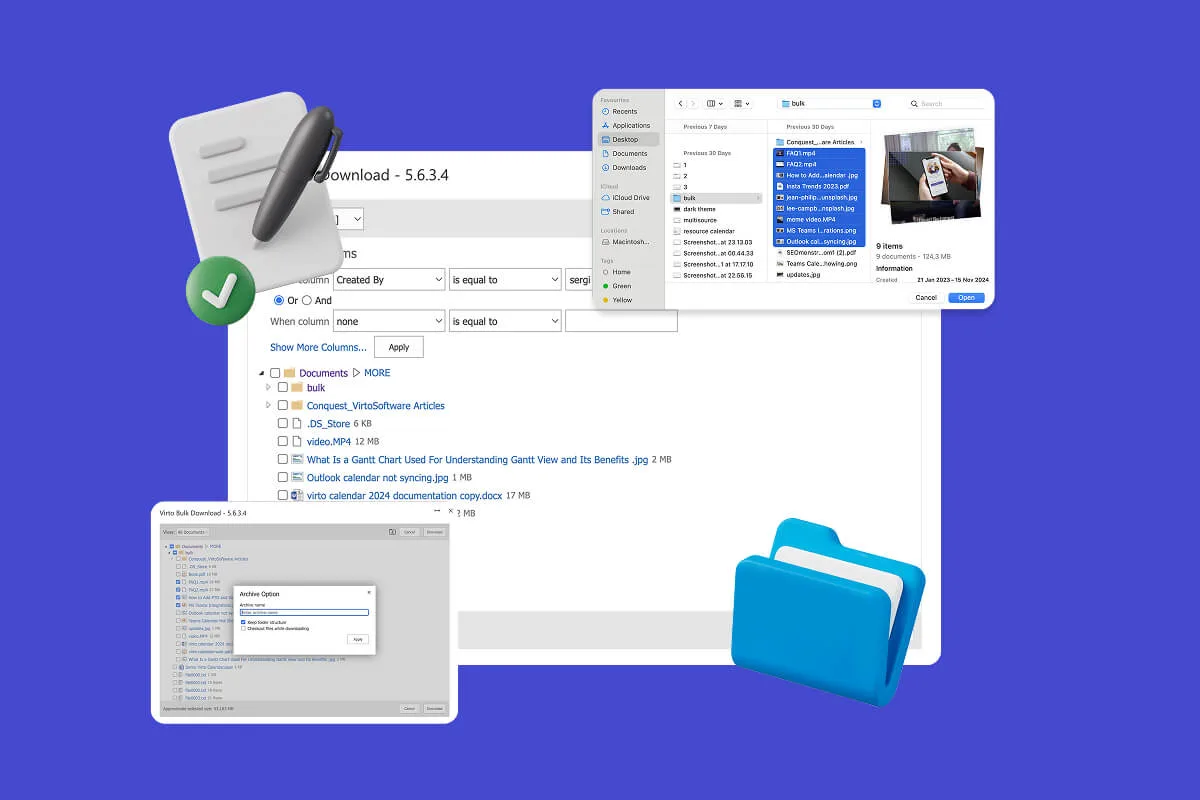
VirtoSoftware addresses these bottlenecks with two dedicated tools: Virto Multiple File Operations for SharePoint On-Premises and Virto Multiple File Upload for SharePoint Online & Microsoft 365. Together, they expand SharePoint’s functionality, making bulk file management practical and efficient.
Virto Multiple File Operations (On-Premises)
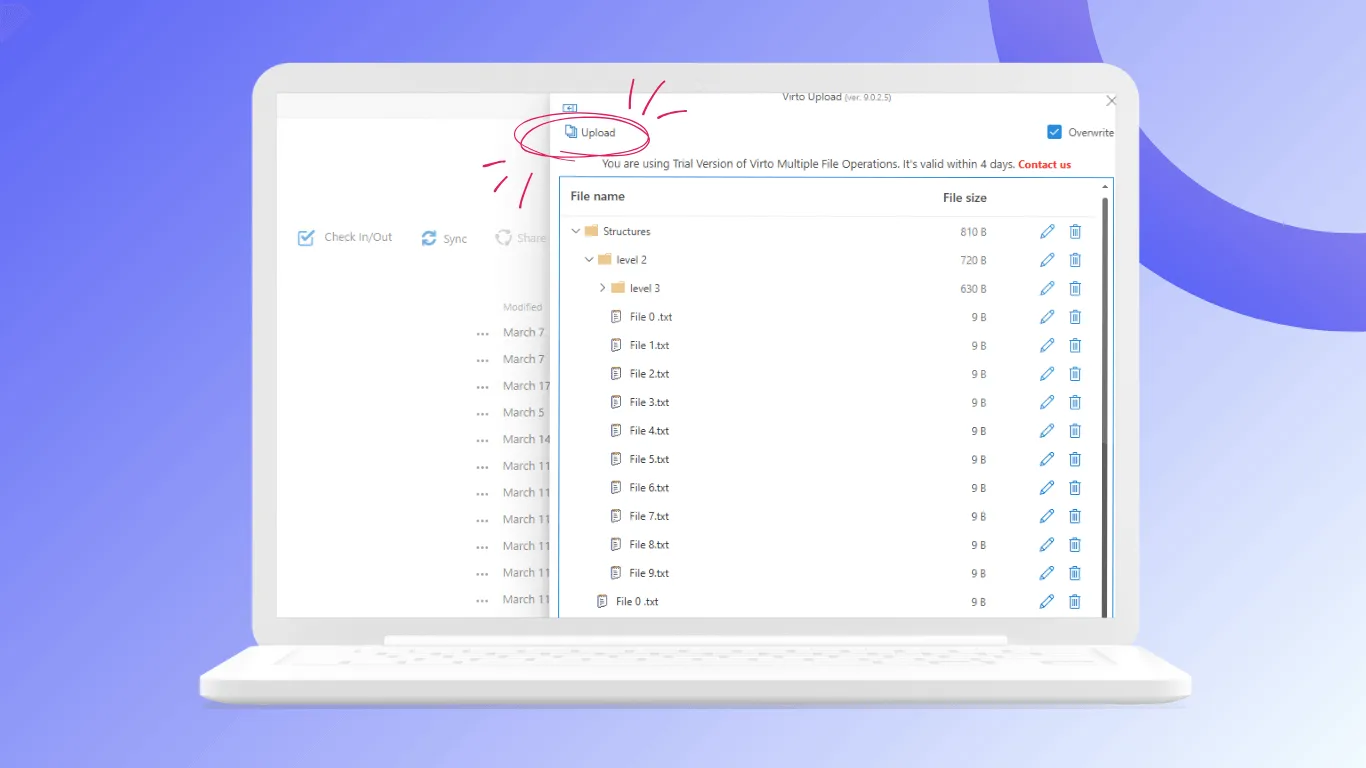
This solution adds advanced bulk actions—upload, download, delete, copy, move, check-in, approve, and edit metadata—directly into SharePoint environments. Users can drag and drop large batches of documents, edit fields across multiple files simultaneously, and set rules around file types and sizes. For compliance-heavy industries, it ensures that workflows remain secure and auditable while cutting the manual effort required for large file operations.
- Example use case: A government agency using SharePoint for records management can move hundreds of case files into a new repository in one operation, while automatically updating metadata fields to reflect new access policies.
Explore VirtoSoftware Solutions for SharePoint

Virto Multiple File Operations
Execute a wide array of file actions—upload, download, delete, copy, move, check-in, approve, and edit.

Virto Calendar
Consolidate events from SharePoint, Exchange, Google, and more into one calendar view for simplified planning.
Virto Multiple Operations App
Efficiently upload and manage multiple files and folders in SharePoint with customizable settings.
Virto Multiple File Upload (Online & Microsoft 365)
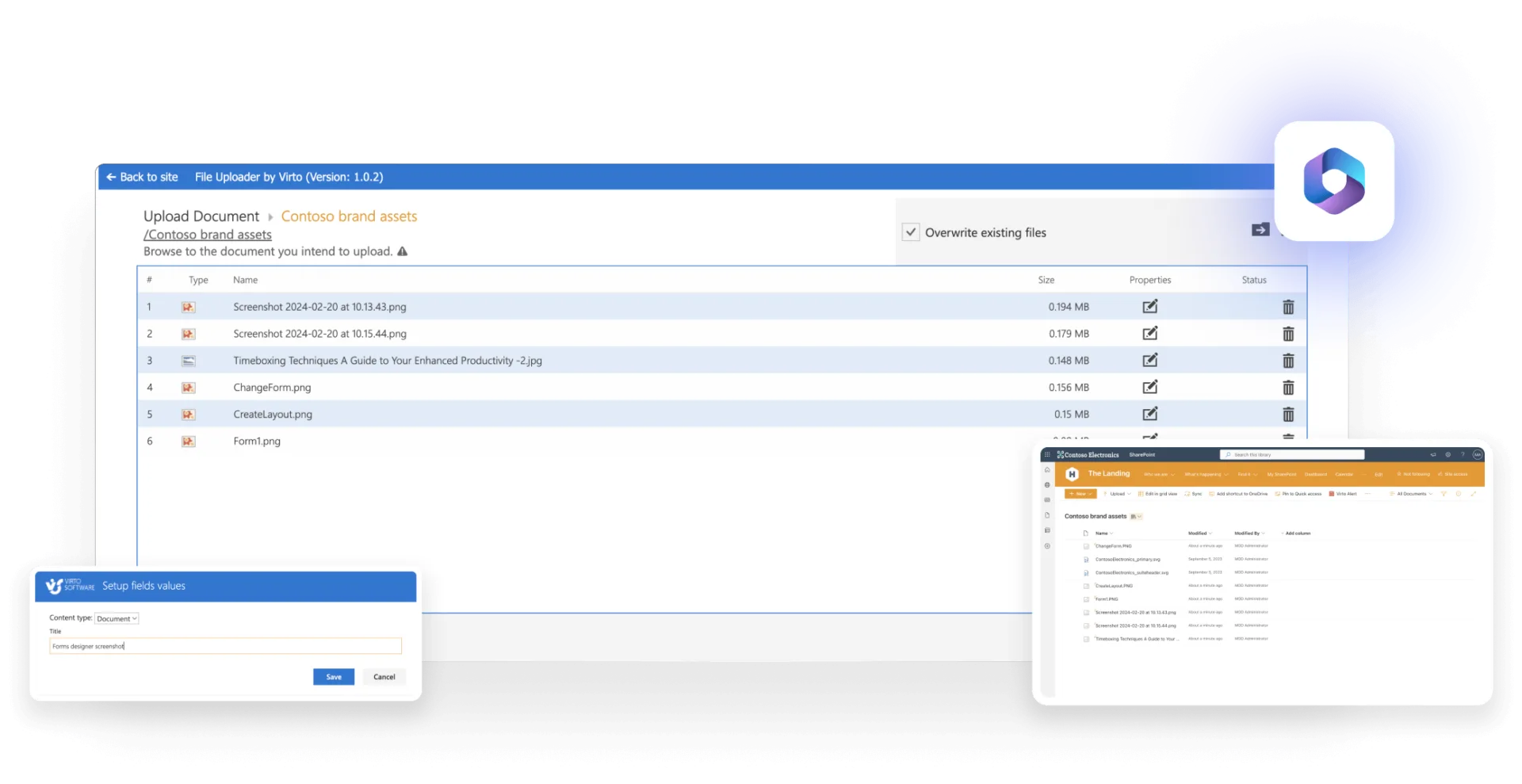
For organizations using SharePoint Online, this app enables full folder and subfolder uploads, drag-and-drop simplicity, and metadata assignment at the time of upload. It also offers overwrite protection to avoid accidental duplication or loss, and administrators can set restrictions on file types and sizes. By removing the one-file-at-a-time limitation, teams working in cloud-based SharePoint environments can handle bulk migrations or departmental uploads without IT intervention.
- Example use case: A legal team can upload an entire archive of contracts—including subfolders for each client—in a single action, tagging documents with metadata such as “client name,” “contract type,” or “renewal year” during the upload process.
Why these tools matter
The value of an EDMS lies not only in governance and compliance, but also in productivity. When employees spend less time wrestling with uploads and bulk edits, adoption rates increase and organizations see faster returns on their EDMS investments. Virto’s apps bridge the gap between SharePoint’s strong core capabilities and the operational demands of teams that manage thousands of documents at once.
In practice, this means fewer repetitive tasks, fewer errors when updating metadata, and smoother file handling during migrations or audits. For enterprises standardizing on SharePoint, these extensions turn a capable EDMS into a far more flexible system that meets the day-to-day demands of modern corporate document management.
Explore VirtoSoftware Use Cases for Enterprises

Conclusion on Enterprise Document Management Solutions
Enterprise document management is not just about keeping files in order—it is about ensuring information is secure, accessible, and tied into the processes that drive business forward. The right EDMS balances usability, integration, and compliance, enabling employees to work confidently while organizations maintain control over sensitive records.
Our comparison shows there is no single “best” platform; each system excels under different conditions. SharePoint is the natural choice for Microsoft 365-driven enterprises, OpenText stands out in highly regulated industries, M-Files offers exceptional usability through metadata, DocuWare simplifies document capture and workflow automation, and Laserfiche remains a strong option for government and education. The most effective decision comes from aligning features with the realities of your document workflows, compliance obligations, and IT strategy.
For teams working in SharePoint, productivity often depends on solving practical challenges such as bulk uploads and metadata updates. VirtoSoftware’s apps—Virto Multiple File Operations for SharePoint On-Premises and Virto Multiple File Upload for SharePoint Online & Microsoft 365—close these gaps, turning SharePoint into a more efficient and user-friendly document management environment.
If your organization is ready to improve its document processes, you can:
- Schedule a demo with the VirtoSoftware team to see the tools in action.
- Install a free trial version of the apps directly from the site and test them in your own SharePoint environment.
- Explore additional resources that show how VirtoSoftware solutions support enterprise scenarios:
An effective EDMS reduces wasted effort, strengthens compliance, and improves collaboration across the business. By extending SharePoint with the right tools, you can achieve those gains more quickly and ensure that document management supports—not slows—your organizational goals.