Introduction
Legal case management software for government is a solution designed to automate the complex legal processes within public sector institutions. These systems help legal departments and state authorities manage cases, citizen requests, contracts, and internal legal tasks, while reducing bureaucratic workload.
Unlike traditional tools that focus only on document storage, modern solutions provide workflows aligned with regulatory requirements and internal service-level agreements (SLAs). They provide transparency, compliance, and consistency in handling legal operations across departments and agencies.
The goal of this article is to explore how legal case management software for government functions, what key tools and features it offers to lawyers, and why automated notifications and task tracking have become vital components of efficiency.
Part 1. Key Functions and Capabilities of Legal Case Management Software for Government
Legal case management software for government is a purpose-built system developed to support the daily legal activities of public institutions. It helps manage a wide range of legal processes — from case tracking and contract management to processing citizen appeals, litigation, and internal workflows.
Such government-focused solutions are designed with advanced security controls, audit trails, and compliance mechanisms that meet public administration standards. They centralize all case-related data in a single environment, facilitating communication between government units.
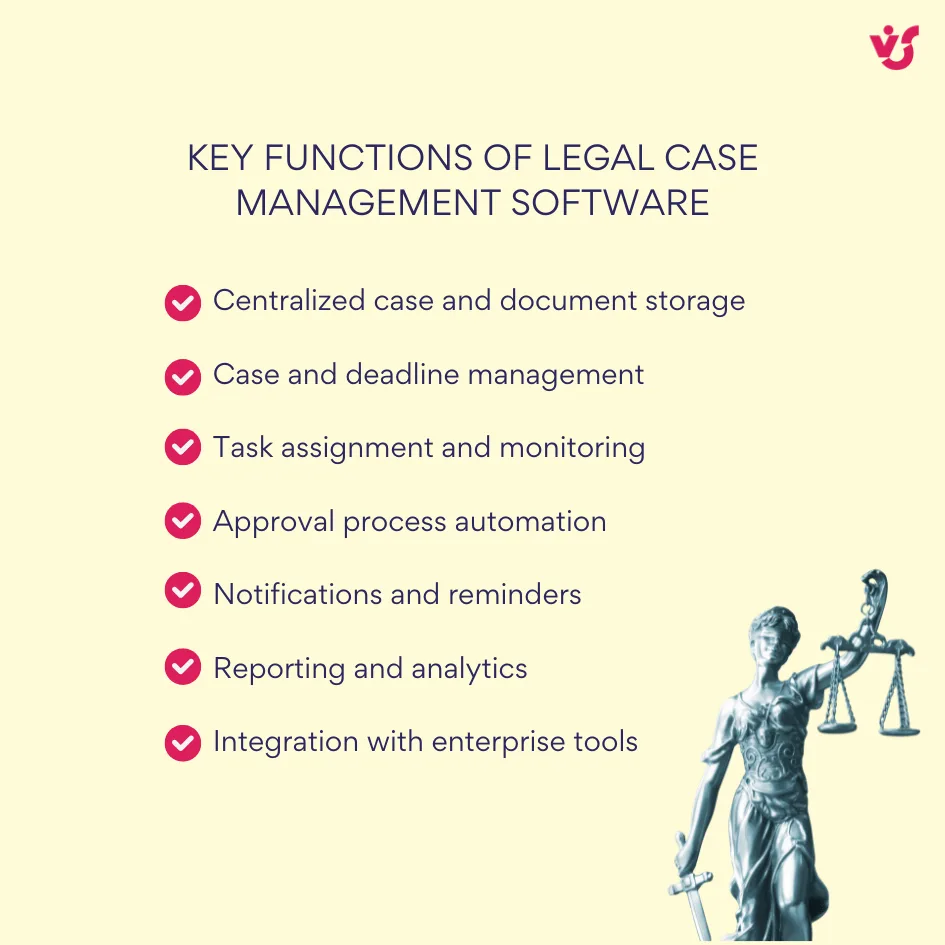
1.1 Key Functions of Legal Case Management Software for Government
Modern legal case management software for government provides a wide range of features to support the entire lifecycle of legal operations. Below are the core functions that make these solutions important for efficiency and compliance in government legal departments.
- Centralized Case and Document Storage
All cases, contracts, court materials, and correspondence are stored in a secure workspace. Access levels are regulated by roles — legal officers, managers, and department heads receive different permissions. - Case and Deadline Management
The system allows tracking of case stages, submission deadlines, and the task progress. Every change and update is automatically logged for a full audit trail of actions and responsible individuals. - Task Assignment and Monitoring
Legal tasks and internal instructions can be distributed among employees and departments. Managers can monitor task progress and receive alerts if any deadline or procedural rule is missed. - Approval Process Automation
Government legal teams can create customized approval workflows for contracts, legal opinions, or court-related requests. This eliminates manual document exchange via email and ensures that all approvals take place within a secure digital environment. - Notifications and Reminders
Automatic reminders notify users about approaching deadlines, hearings, or contract renewal dates. Escalation rules can alert supervisors when a document remains unsigned or a case milestone is delayed. - Reporting and Analytics
The software compiles statistics about case volume, status distribution, and employee workload. Reports can be exported directly to Excel or integrated with Power BI dashboards for visual analytics and reporting. - Integration with Enterprise Tools
Many platforms support integration with Microsoft 365, Outlook, Teams, and SharePoint, allowing government lawyers to work within a familiar ecosystem. Tasks and notifications can be received directly in Teams or via email for a speedy response.
👉Discover government project management: best practices and solutions >>>
1.2 Problems Solved by Legal Case Management Software for Government
Implementing legal case management software for government helps public institutions overcome the most common challenges of manual workflows and fragmented data management. These systems bring structure and accountability to processes that were traditionally time-consuming and prone to error.
- Fragmented Data and Lack of Transparency
Before implementation, legal teams often store files in shared folders, personal drives, or exchange them via email — creating risks of data loss and duplication. A legal case management system consolidates all case-related materials into a single repository creating a unified source of truth for the whole organization. - Manual Deadline Tracking
Without automation, government lawyers frequently rely on Excel spreadsheets or Outlook reminders to track filing deadlines and submission dates. This manual process is hardly ever error-free. Case management software automatically notifies responsible users about upcoming deadlines. - Excessive Bureaucracy and Slow Approvals
Document approvals in government often involve multiple stakeholders. In the absence of a centralized workflow, approvals may take weeks. Automation speeds up document routing and reduces the administrative burden on staff. - Coordination Challenges Across Departments
Government legal work usually involves several departments — legal, financial, and administrative — each using different tools. A single case management solution centralizes communication, tracks progress across all cases for synchronized actions between departments. - Lack of Accountability
Traditional processes make it difficult to track who made changes to a document, when approvals occurred, or how a decision was made. A case management system records every action in an auditable history, improving institutional trust. - Difficulty During Staff Changes or Case Transfers
When an employee leaves or cases are reassigned, data can easily be lost. Centralized case management allows smooth handover of responsibilities, maintaining all historical data and documents for uninterrupted work.
1.3 Why It Matters for Government Legal Departments
For government legal departments, transparency and timely execution are not just operational goals — they are legal obligations. Maintaining compliance with internal regulations and external laws requires complete control over documentation, deadlines, and decision-making processes.
Legal case management software for government plays a crucial role in achieving these standards. Such systems:
- Ensure compliance with procedures and statutory requirements by establishing predefined workflows and approval rules.
- Simplify audits by maintaining detailed histories of all actions and decisions.
- Allow department heads to monitor progress across every ongoing case in real time.
- Minimize human error by automating tasks, reminders, and coordination between stakeholders.
Beyond operational efficiency, adopting a government legal case management system represents a move toward full digital governance. Every document, decision, and workflow step is traceable, creating a transparent environment where all activities can be verified at any time. This transition not only reduces paper usage but also strengthens public trust in government legal processes.
Part 2. Government Legal Case Management Solutions — Overview and Use Cases
Government legal case management solutions help public sector legal departments structure and control every aspect of their operations — from case registration and document management to reporting and interdepartmental communication.
Such systems are typically available in two main configurations — cloud-based (SaaS) and on-premise — each offering distinct advantages depending on an organization’s data security policies and infrastructure.
Cloud and SaaS Platforms
Some of the most widely used cloud-based government legal case management systems include Legal Files, App4Legal, MyCase Government Edition, and Clio Manage for Government.
Key advantages and limitations of cloud-based solutions:

While cloud platforms are ideal for flexibility and collaboration, certain government institutions require higher levels of control that only locally hosted systems can provide.
On-Premise Solutions Based on Microsoft 365 and SharePoint
On-premise legal case management systems built on Microsoft 365 and SharePoint offer government organizations maximum control over data storage and security.
These solutions are preferred by agencies that require:
- Secure, internal data storage within their protected network infrastructure.
- Role-based access control, that has different permissions for lawyers, managers, and department heads.
- Seamless integration with existing information systems.
- Flexible customization of workflows according to compliance rules.
Microsoft 365 and SharePoint platforms allow creation of customized legal case management systems without investing in costly software.
Such solutions:
- Integrate with Outlook and Teams for communication and automated notifications.
- Allow users to track cases, documents, and deadlines through SharePoint lists and calendars.
- Support automated reminders and workflows via Power Automate or specialized tools like Virto Alerts and Notifications.
Practical Use Cases in Government Legal Work
These systems have proven effective across a wide range of government operations, enabling departments to streamline legal and administrative tasks.
- Citizen Request and Case Management
The system registers incoming requests, assigns responsible lawyers, monitors response preparation, and updates department heads with live status reports.
Built-in reminders prevent missed filing or response deadlines. - Contract and Obligation Tracking
All contracts are stored centrally, with renewal or termination dates automatically monitored. The system sends timely notifications about upcoming deadlines for contract compliance. - Cross-Department Coordination
Legal and finance teams collaborate within a shared workspace. Each task is clearly assigned, time-bound, and traceable, while all updates synchronize through Microsoft Teams and SharePoint. - Internal Task Management
Managers can assign internal tasks with deadlines. The system automatically notifies responsible employees, tracks progress, and escalates overdue items to supervisors. - Analytics and Reporting
Department leaders can generate real-time dashboards summarizing case volumes, staff workload, closed case percentages, and compliance rates — all within Microsoft Power BI or Excel-integrated reports.
Explore VirtoSoftware Use Cases



Part 3. Why SharePoint and Microsoft 365 Are Ideal for Government Legal Case Management Systems
For government institutions, data protection and secure access control are not optional — they are mandatory. The Microsoft ecosystem was designed with these priorities in mind, providing a robust foundation for creating compliant and scalable legal case management systems tailored to public sector standards.
1. Security and Compliance with International Standards
Government departments choose SharePoint and Microsoft 365 because they meet the highest information security benchmarks. Both platforms are certified under FedRAMP, ISO 27001, GDPR, SOC 2, and other security frameworks, making them a trusted technology base for public administration.
- With granular access control organizations can define who can view, edit, or approve specific legal documents, so that only authorized personnel have access.
- Built-in audit features capture all user actions, offering full transparency for internal reviews and external audits.
- The ecosystem’s compliance features align with regulatory requirements across multiple jurisdictions, supporting accountability at every level.
2. Flexible Infrastructure: Cloud, On-Premise, and Hybrid Models
SharePoint and Microsoft 365 support multiple deployment architectures, giving government bodies the flexibility to choose the setup that aligns with their IT policies.
- Institutions can opt for on-premise deployment to retain complete control over sensitive legal data.
- Cloud-hosted versions provide easier access and remote collaboration capabilities.
- Hybrid setups combine both models: confidential records stay within internal servers while operational collaboration occurs in the cloud.
This architectural flexibility makes Microsoft platforms adaptable to the diverse security and accessibility needs.
3. Integration with the Microsoft Ecosystem
Microsoft 365’s native integration with key tools — Outlook, Teams, Power Automate, Excel, Word, and Power BI — enables end-to-end workflow management.
- Workflows can move seamlessly from initial case registration to document approval, task execution, and final reporting.
- For example, upcoming deadline alerts can appear directly in Outlook or Teams, while analytical dashboards in Power BI visualize overall department performance.
This integrated environment eliminates system silos and provides a unified digital workspace for all legal-related activities.
4. Customization and Scalability
One of the biggest advantages of SharePoint is its customization potential. Legal teams can configure lists, libraries, calendars, and workflows without custom code or third-party platforms.
- Systems can be adapted to reflect internal processes such as litigation management, contract oversight, or public inquiry handling.
- As organizational needs grow, the same system can be scaled to new departments, regional offices, or entire ministries.
This flexibility ensures that the legal case management software grows in line with the institution’s digital transformation.
5. Cost Efficiency and Full Ownership
Unlike proprietary legal management platforms, Microsoft 365 and SharePoint allow agencies to build tailored legal systems on existing infrastructure, significantly reducing licensing costs.
- Organizations maintain full ownership of their data and environment.
- They avoid dependency on third-party SaaS vendors or the risks associated with transferring legal information outside their networks.
This balance of control, flexibility, and affordability makes SharePoint-based systems particularly appealing for government use.
6. Building Legal Case Management Systems on SharePoint
A SharePoint-based government legal system can be configured using standard components and Microsoft Power Platform tools:
- Case and Request Lists
Each legal case is registered as an entry containing structured fields such as case type, responsible attorney, status, deadlines, and associated documents. - Document and Contract Libraries
Centralized, version-controlled storage maintains all contracts, filings, and letters with history tracking and role-based permissioning. - Task Assignment and Deadline Tracking
Built-in task lists and calendars allow assignment of responsibilities, monitoring of progress, and deadline management. Automated reminders using Power Automate or Virto Alerts & Reminders make sure no task is overlooked. - Notifications and Alerts
The system instantly informs responsible lawyers and supervisors when case statuses change or hearing dates are updated, improving punctuality. - Reports and Analytics
Power BI dashboards visualize case statistics, workload distribution, and key performance indicators for clear insight into departmental efficiency.
👉 Read more about government scheduling software >>>
7. Native Integration for Improved Collaboration
Most government solutions built on SharePoint and Microsoft 365 naturally connect with collaboration tools that simplify communication between legal, managerial, and administrative teams:
- Outlook – task assignments and automated reminders
- Teams – discussions, updates, and document sharing
- Power Automate – workflow automation for notifications and approvals
- SharePoint Libraries – centralized repositories with version control
Together, these tools transform a legal case management system from a data repository into a comprehensive legal ecosystem, where every participant collaborates in real time, stays informed, and works within a unified digital environment.

Part 4. The Challenge of Notifications and Deadline Control in Government Legal Systems
Government legal departments handle an immense volume of work on a daily basis — from court proceedings and citizen inquiries to contract management and administrative regulations. In such an environment, timely responses and transparent processes are mission-critical. However, achieving this level of efficiency is nearly impossible without automation.
Common Operational Challenges
Many government legal teams still rely on manual methods for tracking tasks and deadlines, which often leads to inefficiencies and compliance risks. Typical challenges include:
- High workload and document volume — hundreds of active cases and legal documents managed simultaneously.
- Delayed responses due to the absence of centralized reminders or automated deadline tracking tools.
- Human error leading to missed deadlines or uncoordinated case handovers.
- Lack of escalation mechanisms when cases stall or employees change roles.
These problems not only reduce operational efficiency but can also have legal consequences, especially when government agencies fail to meet statutory deadlines.
Why Notification Automation Is Essential
For government legal departments, automating notifications and reminders is a compliance and accountability mechanism. Automated alerts guarantee that no critical task goes unnoticed and that every legal obligation is met, regardless of staff changes or workload fluctuations.
The introduction of automated notifications and reporting tools allows organizations to:
- Reduce the number of missed deadlines and procedural errors by making sure every responsible party receives timely alerts.
- Comply with internal regulations and SLAs (Service Level Agreements) through system-enforced reminders and escalation rules.
- Strengthen task discipline across departments, ensuring that assignments are tracked until completed.
- Free legal professionals from routine administrative tasks, allowing them to focus on case strategy and decision-making.
When integrated into a government legal case management system, automated notifications transform the operational model — from manual to proactive.
Part 5. How to Automate Notifications and Reminders with VirtoSoftware
VirtoSoftware solutions help government institutions to fully automate notifications, reminders, and escalation workflows for consistent deadline control and accountability at every stage. By integrating these tools into SharePoint or Microsoft 365, organizations can strengthen case management efficiency while maintaining full compliance with regulations.
1. Virto Alerts & Reminders Web Part for SharePoint On-Premise
Virto Alerts & Reminders Web Part for SharePoint On-Premise is an ideal solution for government organizations operating within closed IT environments that require strict access control.

Key capabilities:
- Configures alerts for actions and changes in SharePoint lists and libraries — such as approaching deadlines, case status updates, or new task assignments.
- Supports flexible conditions for notifications, including user roles, document types, and case statuses.
- Allows creation of custom message templates and multi-step notification chains — such as follow-ups and escalations when tasks remain incomplete.
- Operates entirely within the organization’s infrastructure, without transferring data to external services, ensuring full data protection and compliance.
This approach offers legal departments a secure tool for managing internal communication and automatic case reminders while remaining compliant with strict IT policies.
2. Virto Alerts and Notifications App for Microsoft 365
For institutions working in the cloud or hybrid environments, the Virto Alerts and Notifications App for Microsoft 365 provides a top solution for managing alerts across the Microsoft ecosystem — especially important now that SharePoint is retiring its built-in alerts. Government agencies that previously relied on native SharePoint reminders now turn to VirtoSoftware as the top alternative for maintaining reliable, automated notifications within secure infrastructure.

Key capabilities:
- Centralized control of notification policies and rules for cases, tasks, and contract workflows.
- Native integration with Microsoft Teams and Outlook for immediate in-app or email notifications.
- Automated reminders for deadlines, approvals, renewals, and pending reviews.
- Built-in escalation rules that notify supervisors when deadlines are missed or cases remain unresolved.
- Advanced reporting features that allow managers to view alert histories, monitor response times, and ensure SLA adherence.
This solution optimizes collaboration in dispersed government teams for efficient communication across all legal processes.
Practical Use Cases for VirtoSoftware Solutions
Government departments can apply Virto Alerts & Reminders Web Part and Virto Alerts and Notifications App for Microsoft 365 across multiple legal and administrative workflows:
- Case Deadline Management
Automatically notify responsible lawyers when submission or hearing dates approach. Supervisors receive escalation alerts if timelines are breached. - Contract Renewals and Obligations
Track contract end dates and receive automated reminders ahead of renewal deadlines, helping departments maintain compliance with contractual terms. - Task Delegation and Status Updates
Notify team members of new assignments or case updates directly in Teams or Outlook. Escalations are triggered if tasks remain unacknowledged. - Citizen Request Handling
Send automated reminders for pending citizen requests and ensure that every appeal receives a timely and documented response. - Performance Monitoring and Reporting
Managers can analyze alert metrics — such as overdue cases or average response times — to improve efficiency and ensure adherence to internal SLAs.
Improve Your Management with VirtoSoftware Apps

Virto Shared Calendar
Virto Shared Calendar is a standalone web app and Microsoft Teams-integrated solution designed for simple event management with tagging, color-coding, and anonymous sharing.

Virto Calendar App
Maximize efficiency with this calendar app, featuring comprehensive scheduling and customizable views.

Virto Calendar
Consolidate events from SharePoint, Exchange, Google, and more into one calendar view for simplified planning.
Implementing VirtoSoftware notification solutions transforms government legal systems into proactive environments where every deadline is monitored, tasks are traceable, and accountability is enforced automatically.
Conclusion
Legal case management software for government agencies is far more than a record-keeping tool — it is a strategic solution that enhances transparency, discipline, and operational efficiency across all legal workflows. By centralizing information and automating tasks, such systems become the foundation for a coordinated and effective public legal service.
Automation of notifications and reminders represents a major step toward the digital transformation of government legal operations. It allows departments to eliminate routine errors, maintain compliance, and respond to deadlines with consistency.
For institutions seeking dependable, secure, and flexible tools, Virto Alerts & Reminders Web Part (for On-Premise environments) and Virto Alerts and Notifications App for Microsoft 365 offer proven solutions to improve deadline control, interdepartmental communication, and overall workflow transparency within government legal departments.