The modern office has become a complex puzzle. Employees filter in and out on flexible schedules, meeting rooms sit mysteriously booked yet empty, and that corner desk by the window remains untouched for weeks while three people crowd around a single table elsewhere. Sound familiar?
This isn’t just about inconvenience anymore—it’s about serious money. Research shows that as much as 40% of office space can be unused at any given time, representing what some studies suggest could be $2.2 trillion wasted worldwide due to poor office space management.
But here’s what makes this particularly challenging: hybrid work has fundamentally changed how we think about office space. Gone are the days when everyone had an assigned desk and showed up at 9 AM sharp. Now we’re dealing with constantly shifting occupancy patterns, last-minute booking changes, and the need to make every square foot count.
Manual approaches to managing this complexity simply don’t work anymore. Spreadsheets, sticky notes, and “just ask Sarah who sits where” systems crumble under the weight of modern workplace demands. Companies need automation—sophisticated tools that can handle the booking chaos, provide real-time visibility into space usage, and deliver the analytics needed to make smart decisions about office layouts and real estate investments.
The purpose of this article is to break down exactly what office space management software can do for your organization, examine the key features that matter most, and help you navigate the increasingly crowded marketplace of solutions. We’ll also take a close look at how tools that integrate deeply with Microsoft 365 might offer advantages over standalone platforms—particularly for organizations already invested in the Microsoft ecosystem.
What Is Space Management Software, and Why Do You Need It?
This section breaks down what space management software does, why it matters, and where it delivers the most value. We’ll define space management as both a process and a tech solution, spotlight key features, and show which industries benefit most. Plus, we’ll reveal why digital tools are now essential for both traditional and hybrid workplaces.
Space management and tools
Space management is the process of effectively planning, allocating, and using physical space in an office or other workspace. This includes managing workstations, meeting rooms, common areas, and—crucially—analyzing how these spaces are actually being used versus how you think they’re being used.
The main goal goes beyond simply keeping track of who sits where. Effective space management optimizes space utilization, reduces unnecessary costs, and creates a comfortable environment for employees. This becomes especially critical in hybrid work models where traditional assumptions about space usage get thrown out the window.
What is a space management system?
Office space management software is a digital solution that gives companies control over their physical workspace through data and automation. Instead of relying on guesswork or outdated floor plans, these tools provide real-time visibility into how spaces are being used.
The software handles several key functions: controlling the booking and allocation of workstations and meeting rooms, reducing costs through better space utilization, visualizing occupancy patterns, enabling smarter space planning decisions, and ultimately increasing employee satisfaction by eliminating the frustration of hunting for available spaces or showing up to “reserved” rooms that are actually empty.
Where space management makes a difference
Space management software finds applications across numerous industries and scenarios:
- Corporate offices represent the most obvious use case, particularly those embracing hybrid work models. These organizations need efficient employee placement systems and flexible work area planning that can adapt to fluctuating daily attendance.
- Healthcare facilities use space management for managing clinic rooms, medical offices, and operating theaters where precise scheduling and resource allocation can directly impact patient care and operational efficiency.
- Logistics and warehouse operations apply these principles to optimize rack space, aisle configurations, and storage areas where every square foot of efficiency translates to cost savings and improved workflow.
- Educational institutions rely on space management for classroom and laboratory scheduling, especially as universities deal with varying class sizes and multi-purpose learning spaces.
- Retail and shopping centers use strategic space distribution tools to optimize tenant placement, foot traffic flow, and seasonal space reallocation.
👉 What software is used for space planning? Space planning software ranges from basic CAD tools like AutoCAD and SketchUp for floor plan design to comprehensive integrated workplace management systems (IWMS) like Eptura, FM:Systems, and Planon that combine layout planning with operational management. Modern solutions like Robin, OfficeSpace Software, and Envoy focus specifically on dynamic space planning for hybrid workplaces, offering real-time occupancy tracking and scenario planning tools. For organizations using Microsoft 365, solutions like Virto Calendar App provide space planning capabilities directly within familiar interfaces, while specialized tools like Skedda excel at flexible booking and space allocation scenarios. Please refer to our comprehensive review of each tool later in this article.
The components of effective space management
Comprehensive space management encompasses several interconnected elements:
- Planning and space distribution involves determining optimal space usage—deciding who works where, which teams need proximity to each other, and how to allocate different types of workspaces (individual desks, collaboration areas, quiet zones).
- Usage monitoring tracks which spaces see regular activity, which remain idle, and where bottlenecks or shortages occur. This data often reveals surprising gaps between perceived and actual space utilization.
- Layout optimization uses real usage data to redistribute or redesign areas, increasing productivity while reducing costs and improving overall comfort.
- Analytics and reporting collect comprehensive data on room occupancy, seating density, peak usage times, and space requirements. This information drives strategic decision-making about expansion, consolidation, or reconfiguration.
- Hybrid work support has become essential for modern offices. Management systems must effectively handle flexible schedules, workstation booking, and room reservations while accommodating employees who split time between home and office.
Why traditional and hybrid offices struggle without digital management
Traditional offices operating without digital management systems frequently suffer from inefficient space utilization. Workstations sit empty while their “owners” work remotely, meeting rooms get booked “just in case” and remain unused, and departments occupy space based on historical needs rather than current reality. This leads to unnecessary expenses for rent, utilities, maintenance, and periodic re-planning efforts.
Hybrid offices face even greater complexity. Employees arrive irregularly, their workstations should be available only when needed, and space requirements fluctuate dramatically based on factors like weather, company events, or project deadlines. Without automation, companies encounter constant confusion: determining workspace ownership, availability, identifying overloaded areas, and spotting completely unused zones.
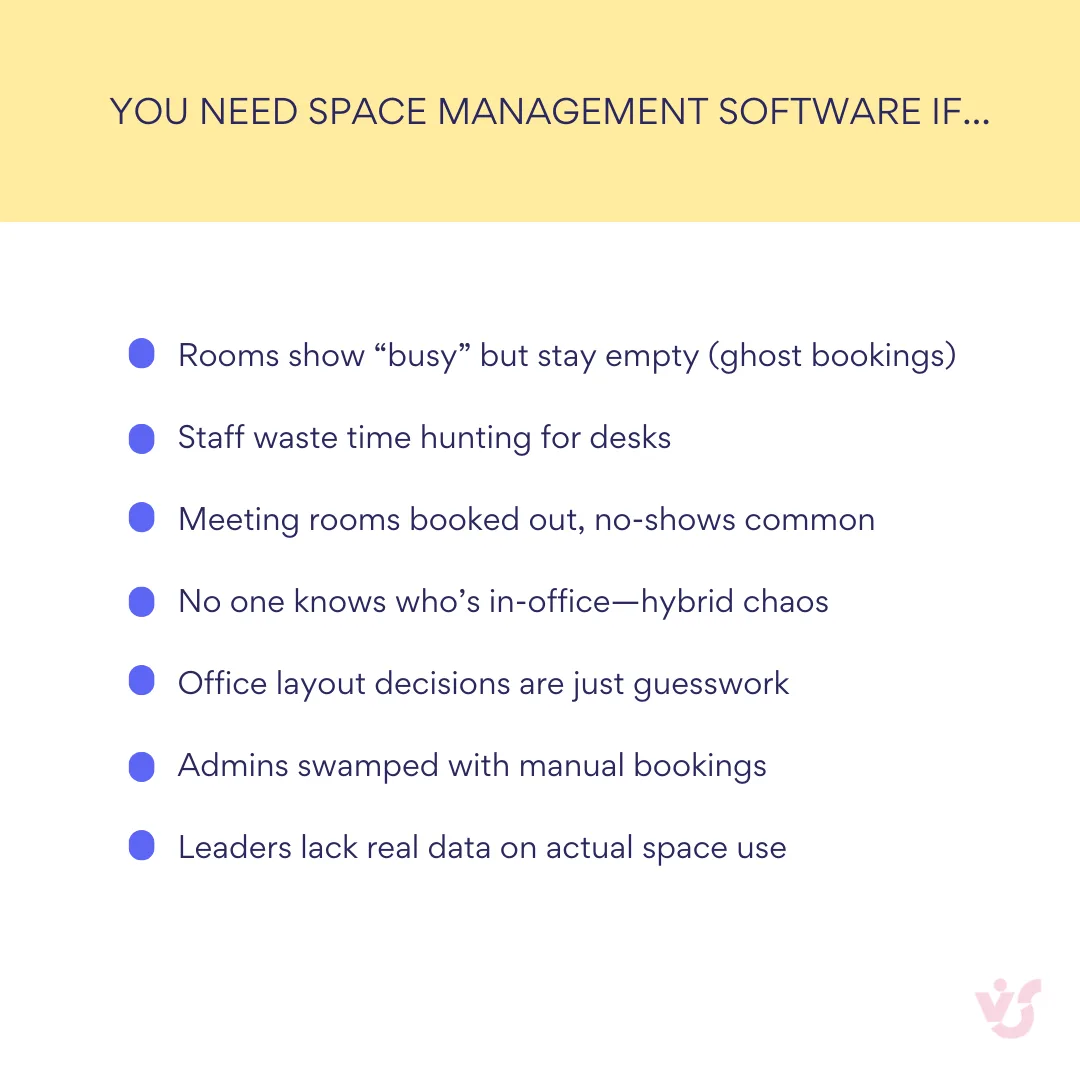
Space management software addresses these challenges directly. Employees can book workstations or meeting rooms in advance through intuitive interfaces that show real-time availability. Managers receive analytical data revealing occupancy patterns, helping them identify “dead zones” and make informed decisions about layout optimization, resource redistribution, or space consolidation.
The automation aspect reduces administrative burden significantly. Instead of manually tracking employee placement and monitoring reservations, the system handles these tasks automatically. This proves especially valuable for companies with rapidly changing workforce numbers, frequent guests, contractors, and temporary workers.
👉 Learn more about effective space & room management in the dedicated articles on our blog:
- Conference Room Scheduling System: the Ultimate Guide and Top Software Tools
- Room Scheduling Process and Best Software Overview
- Exploring Meeting Room Booking Systems and Software Tools: A Research Guide
- Mastering Meeting Room Setup: Tips for Success
Who benefits most from workplace space planning solutions
Several types of organizations see particularly strong returns from space management software implementation:
- Medium and large businesses where office space represents a significant cost center benefit most directly. For these organizations, inefficient space utilization directly impacts the bottom line, and optimization efforts can yield substantial savings.
- Organizations with hybrid or distributed work models need flexible booking and management mechanisms to handle employees working from offices, homes, or other locations. The software provides the coordination tools necessary to make hybrid work actually work.
- High-turnover offices such as consulting companies, agencies, and startups frequently deal with changing teams, contractors, temporary employees, and external visitors. Office space management software provides the flexibility and rapid reconfiguration capabilities these dynamic environments require.
- Multi-location companies need centralized space management across all offices and branches. The software enables synchronized booking systems and standardized processes that would be impossible to maintain manually.
- Highly regulated industries including IT, banking, telecommunications, pharmaceutical, and manufacturing companies often require robust security, access control, and compliance features. Space management software can integrate with existing IT infrastructure while maintaining the security standards these industries demand.
The common thread across all these use cases is the need for visibility, control, and flexibility in managing physical workspace—capabilities that manual systems simply cannot provide at scale.
Benefits of Using Space Management Tools
The implementation of office space management software delivers measurable benefits that extend far beyond simple booking convenience. Organizations that deploy these systems strategically can expect to see significant improvements in cost efficiency, employee satisfaction, and operational effectiveness.
Reduced office rental and maintenance costs
Automated space management control allows companies to identify unused or underused areas with precision that manual tracking simply cannot match. This visibility creates opportunities to refuse excess rental agreements, redistribute space more effectively between departments, or consolidate multiple locations into a hybrid model that reduces overall real estate footprint.
The financial impact can be substantial. As mentioned previously, research indicates that up to 40% of office space can be unused at any given time, representing massive inefficiency in what’s typically a company’s second-largest expense after payroll. With average office space costs at $35 per square foot and operating expenses adding another $6.79 per square foot, organizations waste significant money on empty desks and unused conference rooms.
Consider the scale of this opportunity: a company operating a 15,000-square-foot office could be wasting over $300,000 annually on unused space. The trend toward optimization is accelerating—91% of organizations with hybrid models are using them as cost-saving measures.
| Cost factor | Current state | With space management | Annual savings |
| Unused space (40% waste) | $300,000 | $180,000 | $120,000 |
| Administrative overhead | 2 FTE × $60,000 | 0.5 FTE × $60,000 | $90,000 |
| Employee productivity loss | 15 min/day × 200 employees | 5 min/day × 200 employees | $52,000 |
| Meeting room conflicts | 3 hours/week lost productivity | 30 min/week lost productivity | $31,000 |
| Real estate optimization | Current footprint | 15% reduction potential | $75,000 |
| Total Annual Savings | $368,000 | ||
| Software investment | $50,000 | ||
| Net ROI | 636% |
Increased employee satisfaction through flexibility
Space and workplace management software gives employees control over their work environment in ways that significantly impact job satisfaction. Workers can independently book workstations, meeting rooms, or rest areas at optimal times, ensuring confidence in workspace availability, freedom to choose locations that suit their work style or preferences, and better overall planning capabilities for their workday.
The connection between physical environment and job satisfaction is well-documented. Research from the American Society of Interior Designers found that employees satisfied with their office environment are 31% more likely to be satisfied in their jobs, a key factor for productivity retention. Environmental factors play a crucial role—access to natural light has been shown to increase productivity by up to 18% while improving employee well-being.
The demand for workplace flexibility continues growing. A 2022 survey found that 86% of employees believe they would be happier with fully remote or hybrid work options. Providing well-managed, flexible office space through sophisticated booking systems helps organizations meet these expectations while maintaining the benefits of in-person collaboration.
Space optimization that eliminates waste
Management systems provide clarity on actual space needs versus perceived requirements. Organizations can understand exactly how many workstations they need, which areas create bottlenecks or remain underutilized, and where opportunities exist for better space allocation.
This intelligence enables companies to reduce unnecessary desks and private offices, transform inefficient areas into more useful spaces like collaboration zones or rest areas, and implement effective desk-sharing scenarios that maximize utilization without sacrificing employee comfort.
The visibility gap in space utilization is often dramatic. Studies show significant differences between perceived and actual space use—in one case, employees estimated they were at their desks most of the day, but occupancy data revealed desks were empty over 60% of the time. This disconnect between perception and reality makes data-driven space management essential for accurate decision-making.
Data-driven decision making capabilities
Space management tools provide visual analytics including heat maps, occupancy charts, booking patterns, and no-show reports. This data helps organizations identify bottlenecks such as overloaded meeting rooms or particularly popular work areas, adjust layout configurations or cleaning schedules based on actual usage patterns, and plan expansion or consolidation efforts with confidence.
The importance of this data-driven approach is reflected in organizational priorities. CBRE reports that space utilization is now the most important metric for 46% of workplace leaders planning their hybrid programs. Meanwhile, globally, real estate giant JLL found that 42% of commercial office space is underutilized, highlighting both the scope of the problem and the opportunity for improvement.
Reduced administrative workload
Administrative staff no longer need to manually track workspace assignments, monitor no-shows, or manage meeting room cancellations. The software handles booking management and automated reminders, automatically releases resources when users don’t show up, and generates reports and notifications for responsible parties.
This automation frees up valuable human resources for more strategic tasks while reducing the potential for errors and conflicts that inevitably arise with manual systems. For organizations with high employee turnover or frequent visitors, this administrative efficiency can represent significant cost savings in staff time and reduced frustration.
Enhanced transparency and organizational control
Management gains complete visibility into office space utilization across all locations. This proves especially valuable for distributed teams and organizations operating multiple offices. Leadership can quickly assess occupancy levels for each floor, evaluate efficient resource usage, and ensure compliance with internal policies such as maximum occupancy limits or safety regulations.
This transparency extends to strategic planning as well. Organizations can make informed decisions about lease renewals, space reconfigurations, or new location requirements based on actual usage data rather than assumptions or outdated information.
Support for hybrid and project-based work models
When employees aren’t assigned permanent workstations, office space must become truly flexible. Office space management software simplifies project collaboration by enabling team members to book adjacent seats, helps coordinate in-person collaboration days, and supports dynamic team structures common in agile and scrum methodologies.
The physical office increasingly serves as a hub for culture and connection rather than just a place to complete individual tasks. Research shows that innovative workplace settings fostering staff interaction lead to higher productivity levels. However, poorly designed spaces can backfire—one study found that traditional open-plan offices led to a 70% drop in face-to-face interactions, with employees resorting to email and instant messages instead.
Space management software helps organizations create the variety of work settings necessary for effective hybrid collaboration while avoiding the pitfalls of poorly planned open office designs.
Key Features of Space Management Software & Space Management Apps
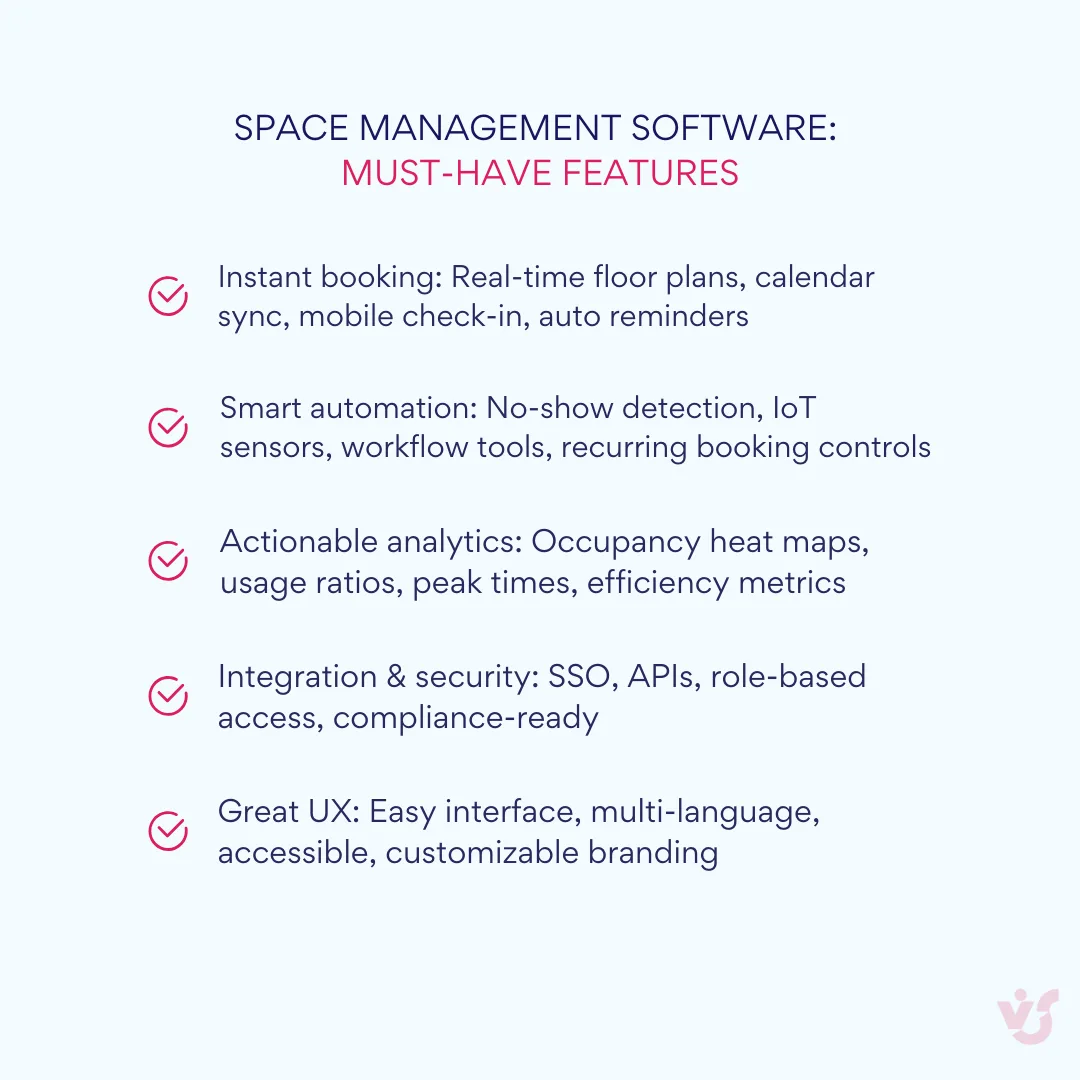
Understanding the core capabilities of space management software helps organizations identify which features will deliver the most value for their specific needs. Modern solutions offer a range of functionality from basic booking to sophisticated analytics and automation.
Centralized management of all workspace types
Effective space management platforms provide unified control over every type of shared space within an organization. This includes individual workstations, meeting rooms of various sizes, collaboration areas, rest spaces, kitchens, and even parking spaces. The administrator interface allows for comprehensive resource management across different locations, floors, and building zones.
The system enables administrators to establish booking rules tailored to different space types, configure access permissions based on employee roles or departments, and manage resources across multiple office locations from a single dashboard. This centralized approach eliminates the fragmentation that occurs when different spaces are managed through separate systems or manual processes.
Online booking with calendar integration
Users need intuitive ways to find and reserve the spaces they need without friction or confusion. Modern space management tools display available resources through calendar interfaces that show real-time availability, allowing employees to identify and book suitable workstations or meeting rooms quickly.
The booking process should integrate naturally with existing workflow tools. Employees can view available spaces, check scheduling conflicts, and make reservations in just a few clicks. The system maintains accurate, up-to-date availability information that prevents double-bookings and reduces scheduling conflicts.
Visual occupancy mapping and floor plan integration
Real-time visualization capabilities transform abstract booking data into actionable intelligence. The software displays interactive floor plans showing current occupancy status for workstations and meeting rooms, often using color coding or other visual indicators to represent availability, booking status, and actual occupancy.
Heat maps, occupancy graphs, and utilization diagrams reflect activity patterns across different zones and time periods. These visualizations simplify management decision-making by making space usage patterns immediately apparent rather than buried in spreadsheets or reports. Managers can quickly identify underutilized areas, popular zones, and potential bottlenecks in their space allocation.
Automated notifications and booking management
Smart notification systems reduce the administrative burden while improving space utilization efficiency. The software sends automatic reminders about upcoming bookings, offers users the ability to confirm or cancel reservations, and handles no-show situations by releasing unused resources for other employees.
This automation proves particularly valuable for managing “ghost bookings”—reservations that are made but never used. When an employee fails to show up within a specified time window, the system automatically cancels the booking and makes the space available to others. This feature alone can significantly improve actual space utilization rates.
IoT integration and presence detection
Advanced space management platforms connect with Internet of Things devices including motion sensors, desk occupancy sensors, and environmental monitoring equipment. These integrations enable automatic detection of space usage, allowing the system to verify whether booked spaces are actually being used.
When connected to presence sensors, the platform can automatically release bookings for no-shows, provide accurate real-time occupancy data, and even trigger environmental adjustments like lighting and temperature control based on actual space usage rather than booking schedules.
Support for flexible workspace models
Modern office environments require support for various workspace sharing scenarios. Desk sharing allows multiple employees to use the same workspace according to scheduled arrangements, ensuring efficient utilization without conflicts. Hot desking enables any available workspace to be claimed on arrival, providing maximum flexibility for employees with unpredictable schedules.
The system manages these scenarios by maintaining accurate availability tracking, preventing booking conflicts, and providing clear protocols for workspace handoffs between users. This flexibility proves essential for organizations implementing hybrid work models or dealing with fluctuating space requirements.
Deep integration with Microsoft 365 ecosystem
For organizations using Microsoft 365, integration capabilities can significantly impact user adoption and system effectiveness. The best solutions provide two-way synchronization with Outlook calendars, display booking information directly within Microsoft Teams, and support single sign-on through Microsoft accounts.
This integration allows employees to manage their workspace bookings directly from familiar tools like Outlook and Teams, eliminating the need to learn separate interfaces or switch between applications. Bookings appear in employee calendars alongside meetings and other commitments, providing a unified view of their daily schedule.
Comprehensive analytics and reporting
Data collection and analysis capabilities distinguish sophisticated space management platforms from basic booking tools. The software should track occupancy patterns across different time periods, identify which zones see the heaviest usage, monitor booking-to-usage ratios, and provide insights into space efficiency metrics.
These analytics enable strategic decision-making about office layout changes, space consolidation opportunities, and future real estate needs. Reports can reveal surprising patterns—such as meeting rooms that are frequently booked but rarely used, or collaboration areas that see heavy informal usage despite low booking rates.
Effective reporting also supports compliance and budget planning by providing accurate data on space costs per employee, utilization rates by department, and trends in space requirements over time.
Access control and security features
Enterprise-grade office space management software includes robust security and access control capabilities. This encompasses integration with existing security systems like badge readers and door controls, role-based permissions that restrict booking access based on employee level or department, and audit trails that track who booked and used specific spaces.
For organizations with compliance requirements or security concerns, these features ensure that sensitive areas remain properly controlled while still enabling the flexibility that modern workplaces require.
Mobile accessibility and user experience
Since employees need to book and manage spaces from various locations and devices, mobile functionality is essential. Quality platforms provide dedicated mobile applications or responsive web interfaces that work effectively on smartphones and tablets.
The mobile experience should include all core functionality—browsing available spaces, making bookings, receiving notifications, and checking in to reserved areas. Some solutions also provide mobile check-in capabilities that help verify actual space usage and improve utilization data accuracy.
These features work together to create comprehensive space management capabilities that address both immediate operational needs and strategic planning requirements. Organizations should evaluate which combination of features aligns best with their specific workplace challenges and long-term objectives.
👉 Learn more about related scheduling and calendar management apps:
- Master Your Time: The Ultimate Guide to Business Calendars & Top Apps of 2025
- Master Your Team’s Schedule: Best Employee Scheduling Apps Reviewed
- Project Calendar Mastery: Tools Comparison & Expert Guide for 2025
Overview and Comparison of the Best Office Space Management Software
The comprehensive analysis below examines the leading space management solutions available in 2025, categorizing them by type and providing detailed comparisons to help organizations choose the right platform for their needs.
Types and solutions
The office space management software market now falls into four main categories—each designed for different needs and tech setups. Knowing these types helps you quickly zero in on the right fit for your organization.
Enterprise space management programs: Comprehensive IWMS platforms
These integrated workplace management systems (IWMS) represent the most comprehensive solutions available, offering end-to-end functionality for large organizations. They cover everything from space planning and maintenance management to real estate portfolio strategy and sustainability reporting. Key players include:
- Eptura (consolidating Archibus, iOFFICE, SpaceIQ, and Condeco)
- FM:Systems
- Planon
These platforms are characterized by their deep functionality, extensive customization options, and ability to handle complex, global real estate portfolios. They typically require significant investment and implementation resources but provide unparalleled strategic insights and control.
Modern workplace platforms: User-centric and agile
Designed specifically for the hybrid work era, these platforms prioritize user experience and seamless integration with collaboration tools. They focus on creating engaging workplace experiences while providing robust analytics for space optimization. Leading solutions include:
- Robin
- OfficeSpace Software
- Envoy
These platforms excel at balancing powerful features with intuitive interfaces, making them ideal for organizations that want to quickly adapt to hybrid work models without overwhelming their employees with complex systems.
Focused and flexible space management solutions
These solutions specialize in specific aspects of space management, particularly desk and room booking, offering exceptional flexibility and ease of use at more accessible price points:
- Skedda
This category represents highly customizable platforms that excel at their core functionality while maintaining simplicity and affordability.
Microsoft ecosystem tools
For organizations deeply invested in Microsoft’s technology stack, native and integrated solutions offer compelling options:
- Microsoft Places
- Room Finder & Outlook Booking
- Virto Calendar App
These tools leverage existing Microsoft 365 investments and provide varying levels of space management functionality within familiar interfaces.
Review of the best space management software
Now, let’s get going. Here’s a roundup of top space management tools, with a quick look at their features, pros & cons, and where they work best.
Eptura (Enterprise IWMS)
Eptura represents one of the most significant consolidations in the workplace technology sector, bringing together Archibus, iOFFICE, SpaceIQ, and Condeco into a unified platform. This global worktech leader offers comprehensive solutions for managing the entire asset and workplace lifecycle.
Key features:
- AI-powered intelligent booking and predictive analytics
- Integrated modules for asset management, visitor management, and workspace scheduling
- Advanced scenario planning and real estate forecasting tools
- FedRAMP authorization for government solutions
- Strong IoT integration for real-time occupancy data
Pros:
- Extremely comprehensive, all-in-one platform
- Deep data analytics and strategic planning capabilities
- Strong integration with enterprise systems including Microsoft 365 and SAP
- Highly scalable for global enterprises
Cons:
- Complex and costly to implement
- User experience may lack consistency across different modules
- Overkill for smaller businesses
Applicability: Best suited for large enterprises and multinational corporations seeking a single, integrated solution to manage their entire real estate and facilities portfolio.
FM:Systems (Enterprise IWMS)
A long-standing leader in the IWMS market, FM:Systems offers a robust and modular platform known for its strong capabilities in facility maintenance and space optimization.
Key features:
- Comprehensive modules for space, asset, and maintenance management
- NetZero Advisor integration for sustainability reporting
- Advanced workplace analytics from sensors, badge data, and Wi-Fi
- Over 250,000 sensor deployment capability
Pros:
- Deep functionality in facility maintenance and asset management
- Strong analytics and reporting capabilities
- Flexible and modular architecture
Cons:
- Complex implementation requiring significant training
- Non-transparent pricing structure
- Interface less intuitive than newer platforms
Applicability: Ideal for large organizations with complex facility maintenance needs, particularly universities, healthcare systems, and government bodies.
Planon (Enterprise IWMS)
Planon positions itself as a global provider of Smart Sustainable Building Management software, emphasizing the connection between buildings, people, and processes.
Key features:
- IoT-enabled IWMS covering real estate, space, maintenance, and sustainability
- Pre-configured workflows based on industry best practices
- Recognized leader in the 2025 Verdantix Green Quadrant
- Strong focus on smart building management
Pros:
- Emphasis on sustainability and smart building features
- Comprehensive, integrated platform
- 40+ years of experience with global client base
Cons:
- High cost of entry
- Complex implementation requiring professional services
Applicability: Best for large, multinational corporations and service providers focused on smart, sustainable building and real estate portfolio management.
Robin (Modern workplace platform)
Robin‘s platform is built specifically for the hybrid workplace, focusing on facilitating collaboration and optimizing office usage through an intuitive, AI-powered interface.
Key features:
- AI-powered resource booking with preference learning
- Advanced visitor management and meeting services
- Robust analytics on office occupancy and meeting patterns
- “One Workplace” platform approach
Pros:
- Excellent user experience for both employees and admins
- Strong focus on hybrid work and collaboration
- Deep integrations with Teams, Outlook, and Slack
Cons:
- More expensive than some competitors
- Add-on features can be pricey
Applicability: Best for mid-sized to large companies (150+ employees) that prioritize employee experience and want a seamless solution for managing hybrid work environments.
OfficeSpace Software (Modern workplace platform)
OfficeSpace emphasizes ease of use, rapid implementation, and comprehensive tools for managing modern, flexible offices.
Key features:
- User-friendly desk and room booking with wayfinding
- Powerful scenario planning and block-and-stack tools
- AI-driven features with bi-weekly release cycle
- Quick implementation (often completed in weeks)
Pros:
- Very user-friendly and quick to implement
- Comprehensive feature set covering employee experience and facility management
- Strong integration with major collaboration platforms
Cons:
- Non-transparent pricing requiring custom quotes
- No free/freemium version available
Applicability: Suitable for a wide range of businesses, from mid-sized companies to large enterprises, needing comprehensive yet easy-to-use hybrid work management.
Envoy (Modern workplace platform)
Envoy offers a sleek, integrated workplace platform focused on creating seamless on-site experiences, with particular strength in visitor management.
Key features:
- Modular platform covering Workplace, Visitors, and Deliveries
- Unified occupancy analytics from various data sources
- Emergency notifications and scenario planning
- Mobile-first design approach
Pros:
- Excellent user experience and mobile design
- Strong visitor and delivery management features
- Flexible per-active-user pricing model
Cons:
- Can become expensive with multiple product combinations
- Advanced features locked behind highest-priced tiers
Applicability: Best for modern, tech-savvy companies of all sizes that prioritize seamless employee and visitor experiences.
Skedda (Focused solution)
Skedda provides a highly customizable and user-friendly platform for managing bookings of any shared space type.
Key features:
- Powerful and customizable rules engine
- Interactive floor plans and visitor management
- Detailed space utilization analytics
- G2 leader in Space Management for 2025
Pros:
- Highly flexible booking rules engine
- User-friendly interface with interactive floor plans
- Transparent, affordable space-based pricing with free tier
Cons:
- Lacks deep facility and asset management features
- Limited native IoT sensor support
Applicability: Perfect for organizations needing powerful, flexible, and easy-to-use booking solutions without the overhead of a full IWMS.
Microsoft ecosystem yools
Microsoft Places: AI-powered platform for hybrid workplace management, deeply integrated with Teams and Outlook. Core features included with Microsoft 365; premium features require Teams Premium license.
Room Finder & Outlook Booking: Native, basic functionality for meeting room reservations within Outlook. Functional but limited compared to dedicated solutions.
Virto Calendar App: Third-party enhancement allowing calendar overlay functionality within SharePoint and Teams.
Pros:
- Deep integration with Microsoft tools
- Cost-effective for existing Microsoft 365 users
- Backed by Microsoft’s security and scalability
Cons:
- Fragmented offering across different tools
- Lacks specialized features of dedicated platforms
- Microsoft Places still evolving
Applicability: Best for organizations heavily invested in Microsoft ecosystem seeking integrated booking tools without additional platform complexity.
💡 Third-party Microsoft integrations like the Virto Calendar App enhance native calendar functionality by allowing users to overlay multiple calendars (SharePoint, Outlook, Google) into unified, color-coded views within SharePoint and Teams. While not a complete space management solution on its own, it provides powerful coordination and scheduling capabilities within the Microsoft ecosystem.
| Solution | Outlook integration | Teams integration | SharePoint integration | Power Automate | Single sign-On | Native experience |
| Microsoft Places | ✅ Native | ✅ Native | ✅ Native | ✅ Full | ✅ Built-in | ✅ Completely native |
| Virto Calendar App | ✅ Deep overlay | ✅ Channel embedding | ✅ Native web part | ✅ Full automation | ✅ Azure AD | ✅ Feels native |
| Robin | ⚠️ Sync only | ⚠️ Notifications | ❌ Limited | ❌ None | ✅ SSO support | ❌ Separate app |
| Envoy | ⚠️ Basic sync | ⚠️ Notifications | ❌ None | ❌ None | ✅ SSO support | ❌ Separate app |
| Skedda | ⚠️ Two-way sync | ⚠️ Limited | ❌ None | ❌ None | ✅ SSO support | ❌ Separate app |
| Enterprise IWMS | ⚠️ Calendar sync | ❌ Limited | ❌ None | ❌ None | ✅ Enterprise SSO | ❌ Separate platform |
Legend: ✅ Full support | ⚠️ Partial support | ❌ Not available
Key findings & comparison highlights
Several important patterns emerge from this comparison:
- Most third-party solutions operate as separate systems requiring dedicated logins and interfaces, regardless of how well they integrate with Microsoft 365. This creates additional complexity for organizations already standardized on Microsoft tools.
- The market shows clear segmentation between comprehensive facility management and employee experience-focused solutions. Organizations must decide whether they need broad IWMS functionality or can focus primarily on space booking and employee experience.
- Pricing models vary dramatically, from transparent per-space pricing to opaque enterprise quotes. Organizations with predictable space requirements may prefer usage-based pricing, while those with complex needs may find enterprise solutions more cost-effective despite higher entry costs.
- Integration depth with existing IT infrastructure often determines user adoption success. Solutions that work within existing workflows and interfaces typically see better employee engagement than those requiring separate applications or processes.
The choice between these categories depends heavily on organizational size, existing IT infrastructure, specific space management challenges, and long-term workplace strategy. Understanding these positioning differences helps organizations narrow their evaluation to solutions most likely to meet their specific requirements.
| Software | Type | Pricing Model | Key Strengths | IoT Support | Microsoft 365 Integration | Best For |
| Eptura | Enterprise IWMS | Quote-based (Premium) | Comprehensive all-in-one platform, Deep analytics | Excellent – Wide sensor integration | Deep integration, Microsoft Places ecosystem | Large global enterprises |
| FM:Systems | Enterprise IWMS | Quote-based (Per sq ft) | Facility maintenance, 250k+ sensors | Excellent – Native IoT platform | Seamless SSO, Outlook, Power Apps | Universities, healthcare, government |
| Planon | Enterprise IWMS | Quote-based (High investment) | Smart building focus, Sustainability | Strong – Smart building emphasis | Azure integration, SAP connectivity | Multinational corporations |
| Robin | Modern Workplace | Quote-based (Per user) | User experience, AI-powered | Good – Occupancy sensors | Excellent – Teams, Outlook, Slack | Mid-to-large hybrid companies |
| OfficeSpace | Modern Workplace | Quote-based ($22k-$96k avg) | Quick implementation, Ease of use | Good – Wi-Fi, badge, sensors | Out-of-box with major platforms | Wide range of businesses |
| Envoy | Modern Workplace | $3-7/active user + modules | Visitor management, Mobile-first | Good – Access control, sensors | Strong – Teams, Outlook | Tech-savvy companies |
| Skedda | Focused Solution | $99-199/month (space-based) | Flexibility, Transparent pricing | Limited – API only | Two-way calendar sync, SSO | Any size needing booking |
| Microsoft Places | Native Integration | $0-10/user (Teams Premium) | Native integration, Cost-effective | Designed for IoT integration | Native – Part of ecosystem | Microsoft-centric organizations |
👉So, what is the best software for space management? The best space management software depends on your organization’s specific needs and existing technology infrastructure. For enterprises requiring comprehensive facility management, platforms like Eptura (consolidating Archibus, iOFFICE, SpaceIQ, and Condeco) or FM:Systems offer the most robust capabilities, while mid-sized companies focused on employee experience often find better value in solutions like Robin or OfficeSpace Software. Organizations already invested in Microsoft 365 should strongly consider Microsoft-native solutions like Virto Calendar App, which provides sophisticated space management capabilities within familiar interfaces while avoiding the complexity and adoption challenges of standalone platforms.
Relevant Use Cases
How to Choose the Right Space Management Software
Selecting appropriate space management systems requires careful analysis of your organization’s specific needs, existing infrastructure, and strategic objectives. The right choice depends on factors ranging from company size and employee distribution to technical capabilities and budget constraints.
Assess your organizational requirements and scale
Before evaluating specific platforms, conduct a thorough audit of your current situation and future needs.
Evaluate your workforce and space dynamics
Consider the total number of employees, their schedule flexibility, and the quantity of available workstations and meeting rooms. Organizations with higher employee movement and booking frequency benefit more from automation than those with stable, predictable space usage patterns.
The physical scope of your operations significantly impacts software requirements. Single-location companies have different needs than organizations managing multiple offices or branches. For multi-location organizations, centralized management capabilities and solution scalability become critical factors.
Analyze your work model requirements
If employees work in the office on flexible schedules, prioritize solutions that support hot desking, desk sharing, and calendar-based booking. The degree of schedule variability directly correlates with the sophistication of space management tools you’ll need.
Consider whether your workforce includes significant numbers of contractors, temporary employees, or regular visitors. These populations often require different booking permissions and access controls than permanent staff.
Examine existing technology infrastructure
Organizations using Microsoft 365, Outlook, or Teams should prioritize solutions offering deep integration with this ecosystem. As mentioned, employees satisfied with their office environment are 31% more likely to be satisfied in their jobs, and forcing them to learn entirely new interfaces can negatively impact adoption and satisfaction.
Evaluate your current IT capabilities and support resources. Complex enterprise solutions may require dedicated IT support, while simpler cloud-based solutions can often be managed with existing staff.
Identify essential functionality requirements
Create a prioritized list of features your organization needs rather than wants. This helps focus evaluation efforts and prevents feature creep during the selection process.
Booking and user interface preferences
Determine whether your users prefer calendar-based interfaces (integrated with Outlook/Teams) or visual office maps showing available seats. Some organizations benefit from both approaches, allowing different user types to interact with the system in their preferred way.
Consider the importance of mobile access. Organizations with employees who frequently work from different locations or need to make last-minute booking changes should prioritize robust mobile functionality.
Integration and automation requirements
Deep integration with existing collaboration tools significantly impacts user adoption. Solutions that work within familiar interfaces like Outlook, Teams, or SharePoint reduce training requirements and increase employee engagement with the system.
Evaluate the importance of IoT integration for your environment. Automated resource release based on actual occupancy can dramatically improve space utilization, but requires compatible sensors and potentially additional infrastructure investment.
Determine whether automatic booking cancellation for no-shows addresses a significant problem in your organization. This feature reduces wasted resources and increases space availability but may require cultural change management.
Analytics and reporting needs
Consider what types of data will drive decision-making in your organization. Basic occupancy reporting may suffice for some companies, while others need detailed analytics on zone popularity, peak usage times, and underutilized areas.
Think about integration with existing business intelligence tools or executive dashboards. Some organizations need data export capabilities to incorporate space metrics into broader operational reporting.
Test solutions in realistic conditions
Once you’ve identified 2-3 solutions that meet your basic requirements, conduct practical evaluations that simulate real-world usage.
Pilot program design
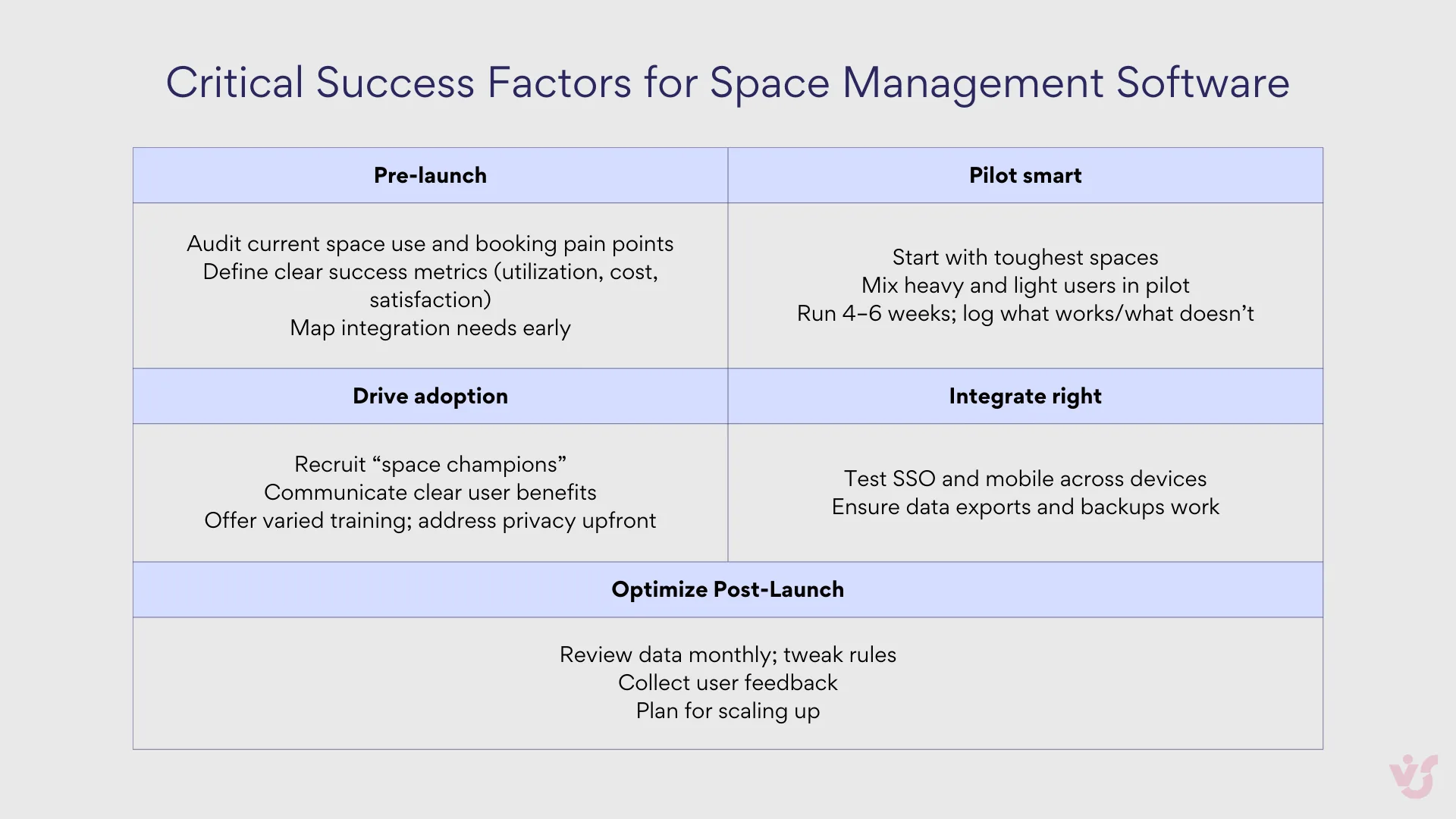
Implement pilot programs on a single floor or in one location to understand how the tool performs under actual conditions. This approach provides insights into user adoption challenges, system performance, and integration effectiveness without committing to organization-wide deployment.
Focus pilot testing on your most challenging use cases rather than ideal scenarios. If the solution works well under stress, it will likely perform adequately under normal conditions.
Gather comprehensive feedback
Collect input from both end users and administrators during pilot testing. End users can evaluate interface usability, booking process efficiency, and mobile functionality. Administrators should assess backend management capabilities, reporting functionality, and integration effectiveness.
Pay particular attention to feedback about workflow disruption. Solutions that require significant changes to existing work patterns may face adoption challenges regardless of their technical capabilities.
Evaluate total cost of ownership
Look beyond initial licensing costs to understand the complete financial impact. Consider implementation costs including data migration, system integration, and staff training. Factor in ongoing costs such as technical support, software updates, and potential hardware requirements for IoT integration.
Calculate potential savings from improved space utilization. Given that up to almost half of office space can be unused at any given time, even modest improvements in utilization can generate significant cost savings.
Consider implementation and change management factors
Technical capability represents only one aspect of successful deployment of an office space management application. Organizational readiness and change management often determine ultimate success.
Cultural and behavioral changes
Moving from assigned seating to hot desking or implementing booking requirements represents significant cultural change for many organizations. Consider your workforce’s adaptability and plan appropriate change management strategies.
Some employees may resist new booking processes or sharing workspace. Early involvement of influential employees and clear communication about benefits can help overcome resistance.
Technical integration complexity
Evaluate your organization’s technical capabilities for implementing and maintaining the chosen solution. Enterprise IWMS platforms often require significant IT resources, while cloud-based solutions may be manageable with existing staff capabilities.
Consider data migration requirements from existing systems. Organizations with substantial historical data or complex existing workflows may need professional services support regardless of the solution chosen.
Long-term strategic alignment
Choose solutions that align with your organization’s long-term workplace strategy rather than just current needs. Companies planning to expand, consolidate, or significantly change their work models should prioritize scalable solutions that can adapt to evolving requirements.
Consider vendor stability and roadmap alignment. The space management software market continues evolving rapidly, making vendor viability and continued development important factors in long-term success.
The selection process benefits from structured evaluation that balances immediate needs with strategic objectives. Organizations that invest time in thorough assessment typically achieve better outcomes and higher user satisfaction than those that rush into deployment based on limited evaluation criteria.
How Virto Calendar App Works as a Space Management Tool
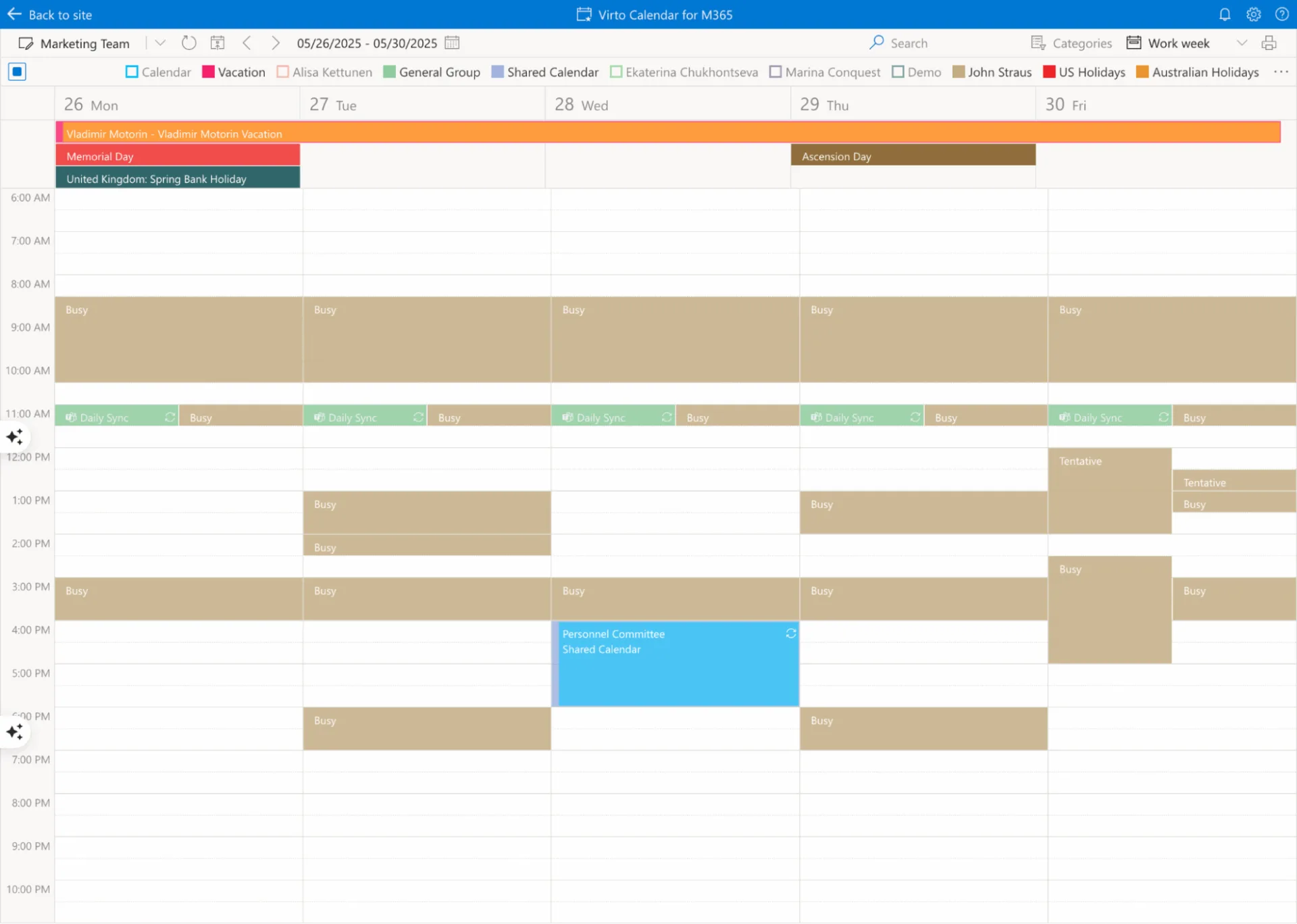
The challenge of hybrid work requires more than basic meeting room booking—it demands intelligent coordination of office resources, automated management of unused reservations, and deep integration with the tools employees already use daily. Virto Calendar App addresses these needs through a comprehensive approach that combines calendar management, IoT device integration, and Microsoft 365 ecosystem connectivity.
The integrated solution approach
Unlike standalone space management platforms that require separate logins and interfaces, Virto Calendar App operates natively within the Microsoft 365 environment. Users access space booking functionality directly through SharePoint, Microsoft Teams, and Outlook—eliminating the friction that often hampers adoption of third-party solutions.
The platform serves as a central scheduling hub that consolidates multiple data sources including SharePoint lists and libraries, Outlook calendars, Microsoft Planner, Google Calendar, iCal, and Apple Calendars. This integration capability means organizations can maintain their existing scheduling workflows while gaining sophisticated space management capabilities.
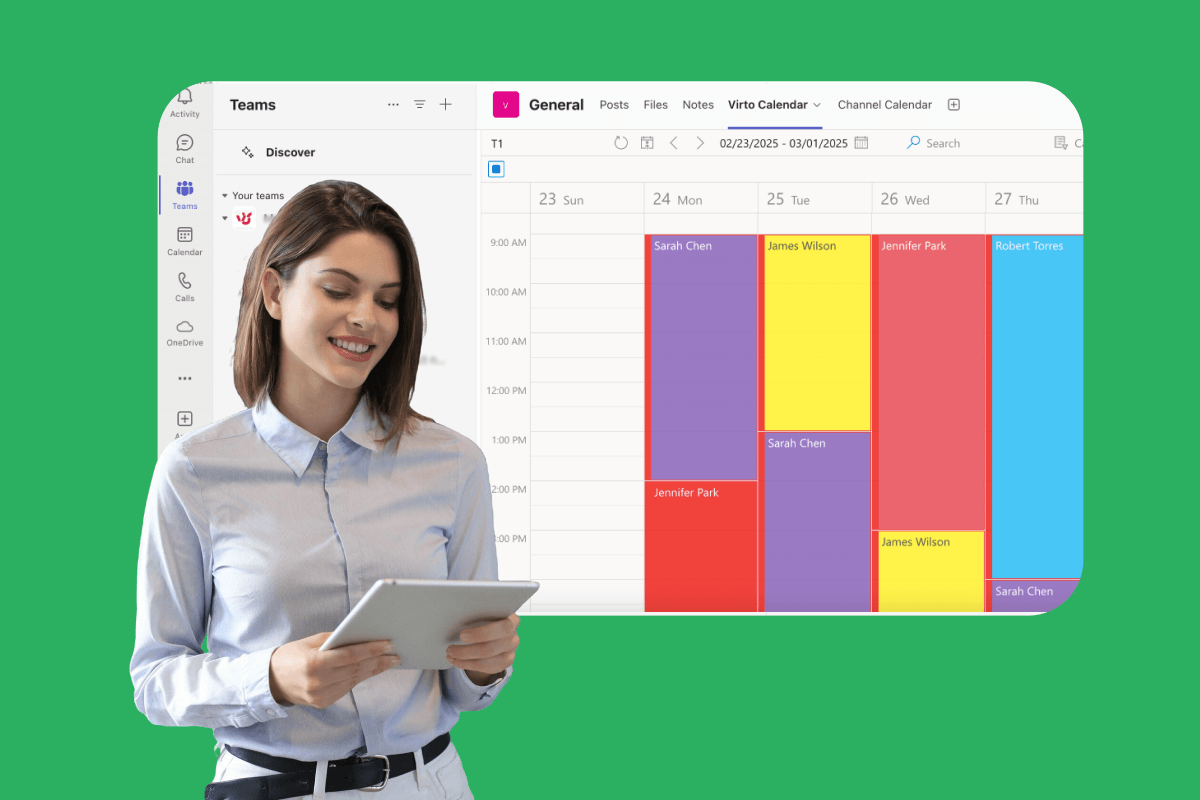
For space management specifically, the system supports resource booking through visual floor plans and calendar interfaces, enabling employees to see available workstations and meeting rooms in real-time. The overlay functionality allows administrators to display occupancy data, booking status, and resource availability in unified views that simplify decision-making.
Automation through Power Automate and IoT integration
The platform’s automation capabilities set it apart from basic booking systems. Through Microsoft Power Automate integration, Virto Calendar App can connect with IoT devices including presence sensors, badge readers, and environmental monitoring systems. This connectivity enables sophisticated automation scenarios that address common space management challenges.
When an employee books a workspace but fails to show up, presence sensors can automatically detect the absence and trigger booking cancellation through Power Automate workflows. This automatic resource release ensures that unused spaces become available to other employees without manual intervention.
The system can also send automated reminders before bookings, confirm actual arrival through sensor data, and generate analytics reports on space utilization patterns. These automated workflows reduce administrative burden while improving actual space utilization rates.
Explore VirtoSoftware Space Management Solutions

Virto Shared Calendar
Virto Shared Calendar is a standalone web app and Microsoft Teams-integrated solution designed for simple event management with tagging, color-coding, and anonymous sharing.

Virto Calendar App
Maximize efficiency with this calendar app, featuring comprehensive scheduling and customizable views.

Virto Calendar
Consolidate events from SharePoint, Exchange, Google, and more into one calendar view for simplified planning.
Analytics and business intelligence integration
Virto Calendar App provides comprehensive analytics on space usage patterns, booking-to-utilization ratios, and resource efficiency metrics. The platform integrates with Microsoft Viva and other business intelligence tools, allowing organizations to incorporate space management data into broader operational dashboards.
Heat maps and utilization reports reveal which areas see heavy usage, which remain underutilized, and where bottlenecks occur during peak times. This data supports strategic decisions about office layout changes, space consolidation opportunities, and future real estate requirements.
The analytics capabilities extend to compliance reporting and budget planning, providing accurate data on space costs per employee, utilization rates by department, and trends in space requirements over time.
Scalability across multiple locations
For organizations operating multiple offices or international teams, Virto Calendar App provides centralized management capabilities that scale across locations. The platform maintains consistent booking processes and data standards while accommodating local requirements and time zones.
Single sign-on through Microsoft accounts ensures security and simplifies access management across locations. The system supports granular permissions that can be configured by location, department, or user role, providing appropriate access control without complexity.
Complementary solutions for diverse needs
Recognizing that different organizations have varying space management requirements, VirtoSoftware offers complementary solutions that address specific use cases.
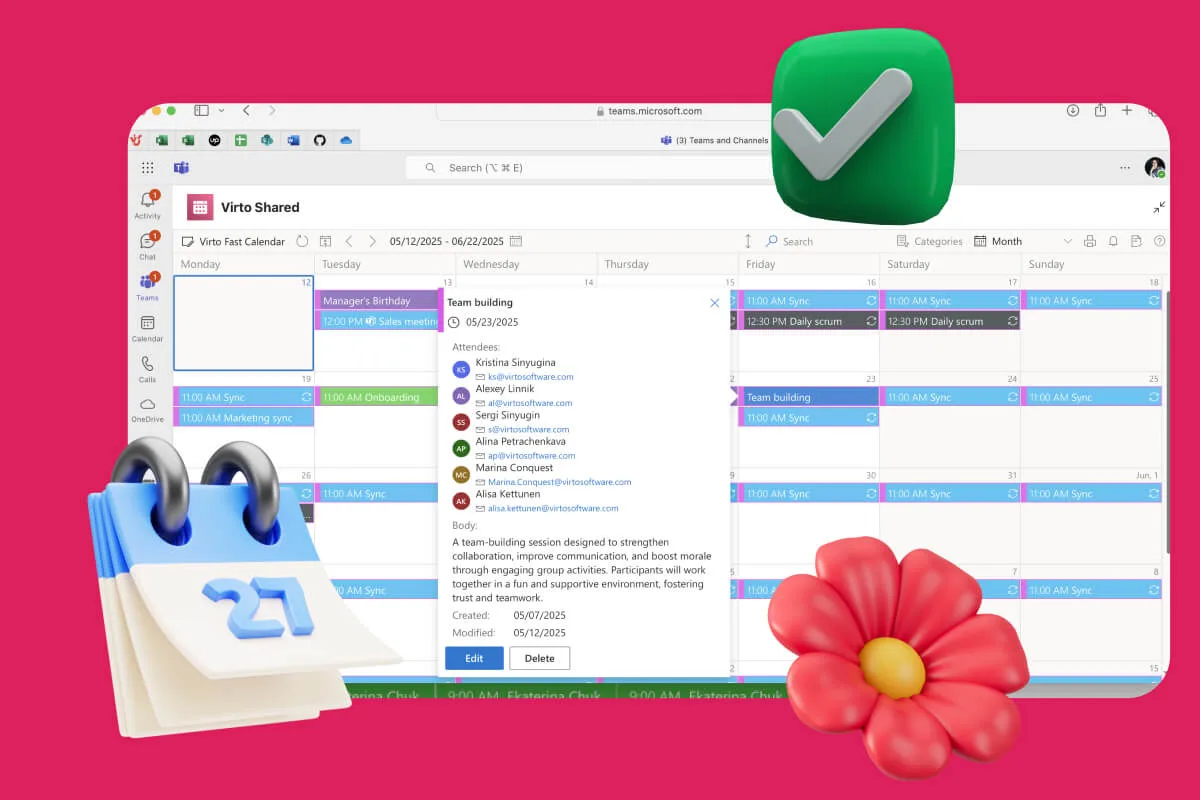
Virto Shared Calendar provides a lightweight alternative for teams that need simple scheduling capabilities without complex integrations. This solution focuses on event creation, tagging, and sharing through both Microsoft Teams and standalone web applications. The platform supports anonymous access, allowing external stakeholders like clients or vendors to view calendars without requiring Microsoft accounts.
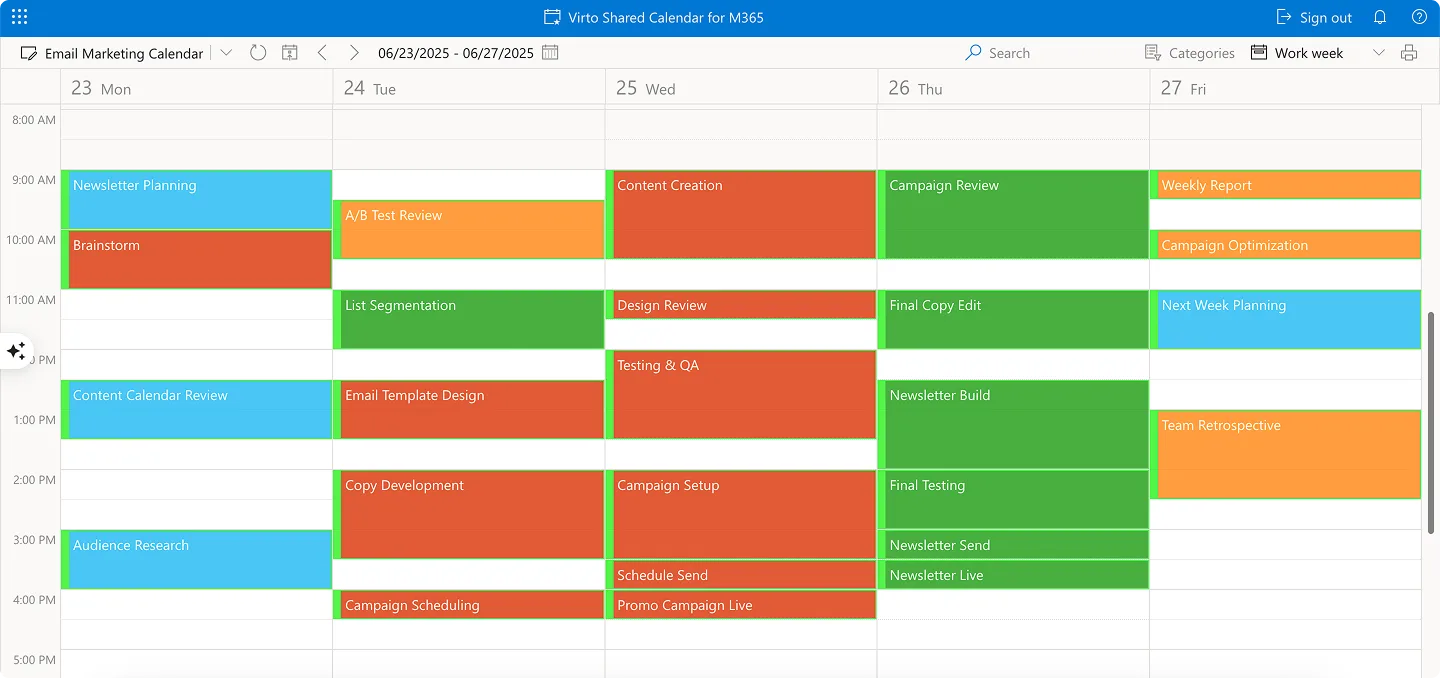
Unlike the comprehensive overlay functionality of Virto Calendar App, Virto Shared Calendar emphasizes simplicity and universal accessibility. It’s particularly valuable for client onboarding scenarios, event planning with external speakers, and remote team coordination where basic scheduling takes precedence over advanced analytics.
The pricing structure reflects this focused approach—starting at $15 per month for teams under 20 users with free external sharing, or $299 annually for unlimited users. This makes it accessible for small teams or specific use cases that don’t require full space management capabilities.
Implementation and technical advantages
The Microsoft 365-native architecture provides several implementation advantages over standalone platforms. Organizations avoid the complexity of separate system deployments, data migration challenges, and additional security configurations that come with third-party solutions.
The platform leverages existing Microsoft infrastructure for authentication, data storage, and security compliance. This means organizations can implement sophisticated space management capabilities while maintaining their established IT governance and security standards.
Training requirements are minimal since users interact with the system through familiar Microsoft interfaces. The learning curve is significantly reduced compared to standalone platforms that require employees to master entirely new applications.
Unique positioning in the market
Virto Calendar App’s approach differs fundamentally from most space management solutions. Rather than creating another standalone system, it enhances and extends the Microsoft 365 tools organizations already use. This integration-first approach addresses one of the primary barriers to space management software adoption—the reluctance to add yet another system to an already complex technology stack.
The combination of calendar overlay functionality, IoT automation capabilities, and deep Microsoft 365 integration creates a solution that works within existing workflows rather than requiring workflow changes. For organizations heavily invested in the Microsoft ecosystem, this represents a strategic advantage in both implementation speed and user adoption rates.
The platform’s ability to scale from simple scheduling to comprehensive space management through modular functionality means organizations can start with basic needs and expand capabilities as requirements evolve, providing a growth path that matches organizational development rather than forcing premature complexity.
Explore VirtoSoftware Scheduling Use Cases
Conclusion on Office Space Facilities Management Software
Space management software has emerged as a critical tool for organizations navigating the complexities of hybrid work environments. The evidence is clear: companies that implement sophisticated space management solutions can achieve substantial cost reductions, dramatically improve employee satisfaction, and gain the strategic insights needed to make informed decisions about their real estate investments.
The strategic value extends beyond immediate operational improvements. Organizations gain access to comprehensive data about space utilization patterns, employee behavior, and resource efficiency that informs long-term real estate strategy.
For organizations already invested in the Microsoft 365 ecosystem, Virto Calendar App represents a particularly compelling solution. Rather than adding another standalone system to your technology stack, it enhances and extends the tools your employees already use daily—SharePoint, Teams, and Outlook.
The platform’s unique combination of calendar overlay functionality, IoT automation capabilities, and deep Microsoft 365 integration addresses the primary barriers that prevent successful space management software adoption. Users work within familiar interfaces, administrators leverage existing security and compliance frameworks, and IT teams avoid the complexity of managing separate systems.
The automation possibilities through Power Automate and IoT sensor integration mean your space management system can evolve from simple booking to intelligent resource optimization.
For organizations with simpler needs or specific use cases, the complementary Virto Shared Calendar provides lightweight scheduling capabilities with the same Microsoft 365 integration benefits, ensuring there’s an appropriate solution regardless of organizational size or complexity requirements.
The best way to understand how space management software can transform your workplace is through hands-on evaluation. Try Virto Calendar App free for 14 days or schedule a consultation with our team to discuss your specific requirements and see a customized demonstration.
To deepen your understanding of space management solutions and explore related capabilities, we invite you to explore these comprehensive resources:
Scheduling and project management solutions:
- Master schedule management strategies
- Online booking software for small business
- Scheduling software for small business
- Multi-location employee scheduling
- Team task management
- Why is a Hybrid Work Environment
Real-world use cases and applications:
- Attendance management solutions
- Yoga studio software implementation
- Rooms and resources booking systems
Your office space represents a significant investment and a crucial component of employee experience. Make it work harder for your organization through intelligent, data-driven management that adapts to the realities of modern hybrid work.