Security, control, and trust — that’s what every enterprise IT leader wants from their digital ecosystem. And for good reason. With increasing compliance demands, stricter data regulations, and growing security expectations, organizations need to know exactly where their data lives and how it’s handled.
That’s where VirtoSoftware’s in-environment deployment comes in. It’s a simple yet powerful concept: host your Virto apps entirely within your own Microsoft 365 and Azure environment — no third-party servers, no external dependencies, no blind spots.
Your Environment. Your Rules.
By deploying VirtoSoftware apps inside your Azure subscription (connected to your Microsoft 365 tenant), you keep full control over your infrastructure, storage, and data access. Everything stays under your internal security umbrella — managed with your policies, audited by your tools, and overseen by your own IT team.
This deployment approach makes a lot of sense for enterprises that operate in regulated industries or handle sensitive data. It means:
- You maintain 100% data sovereignty — your data never leaves your environment.
- You can enforce existing security standards without compromise.
- You gain full transparency into every process that happens within the apps.
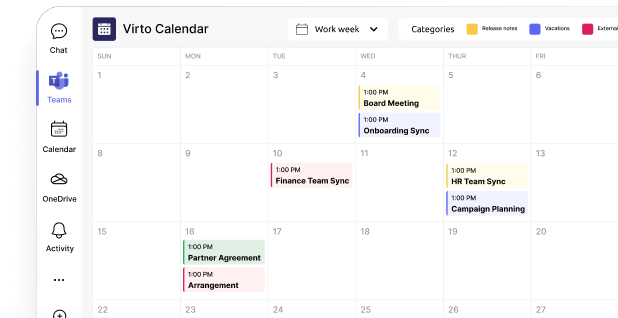
The only M365 enterprise calendar
… that never leaves your cloud.
Data stays in your Azure, under your control.
Transparency Through Open Source
VirtoSoftware doesn’t just stop at giving you control over your data — we also give you visibility into how our apps work. With complete source code access, your developers can review every line, verify security, and adapt solutions to fit your organization’s unique requirements.
It’s an open-door approach to enterprise software — flexible, auditable, and completely in line with the trust-first mindset that global organizations need.
Native Microsoft 365 Integration
Deploying in your environment doesn’t mean reinventing the wheel. VirtoSoftware solutions are built to integrate seamlessly with Microsoft 365 services — SharePoint, Teams, Outlook, and more — offering all the convenience of cloud-native collaboration while keeping everything locked down within your own infrastructure.
For SharePoint Administrators: Custom Deployment Example — Virto Calendar App
If you’re a SharePoint Administrator, you’ll appreciate how straightforward it is to deploy one of the most popular Virto solutions — the Virto Calendar App — in your secure environment.
Prerequisites
Before deployment, ensure your Azure infrastructure includes:
- Azure Table Storage for data handling.
- Azure App Service (Windows, .NET 4.8 stack) for hosting app operations.
- Custom Authorization App registered and installed within your Azure Active Directory (Azure AD).
- Custom SharePoint and Microsoft Teams Calendar Apps, connected and ready for integration.
These components let your organization host and manage the Calendar App privately, ensuring maximum compliance and performance.
Authorization Flow
The app leverages the standard Microsoft OAuth OpenID Connect (OIDC) authorization flow, following Microsoft’s security best practices:
📚 Learn more about OIDC authorization

Data Flow and Permissions
All data accessed by the app is handled under the current user’s credentials, using delegated permissions. This means users only see and interact with data they are authorized to access — perfectly aligned with Microsoft Graph’s permission model:
📚 Microsoft Graph Delegated Permissions Overview

And yes — if you’d like to test things first, you can easily deploy in a non-production environment before going all-in.
Tailored for Enterprise Needs
Every organization is different, which is why VirtoSoftware offers flexible enterprise licensing and custom service packages. Whether you need bespoke integrations, white-label branding, or dedicated support, we’ll adapt our offering to your operational model.
You can also benefit from:
- Custom update schedules aligned with your IT calendar.
- Expert support and maintenance from our technical team.
- Training sessions and documentation for smooth knowledge transfer.
Take Control of Your M365 Applications
When you deploy VirtoSoftware apps in your own Microsoft 365 environment, you gain something priceless — peace of mind. You know exactly where your data is, who has access, and how everything works behind the scenes.
It’s a transparent, secure, and flexible way to empower your IT team while keeping your enterprise fully compliant.
Ready to explore this deployment model for your organization?
👉 Book a demo or chat with our team on Microsoft Teams.